What Portfolio Plate is for
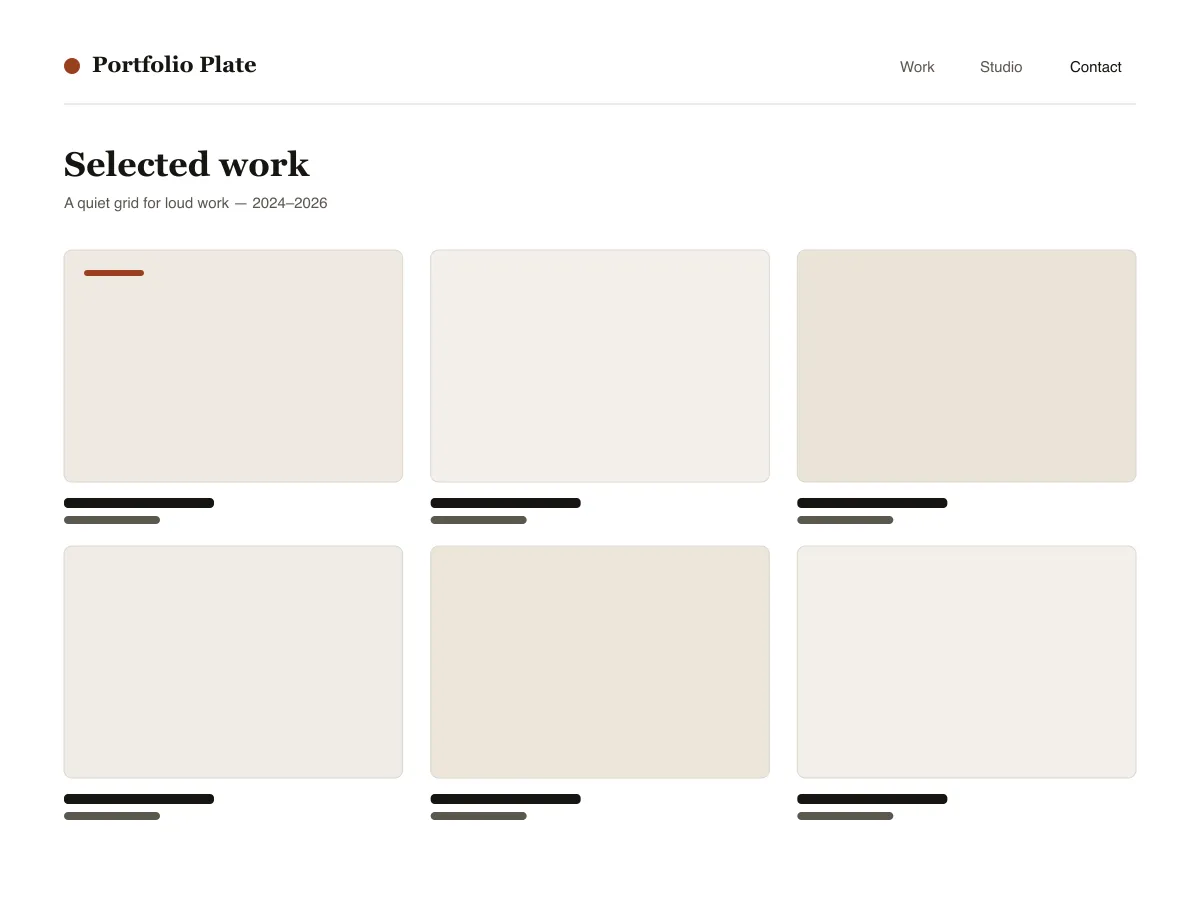
Portfolio Plate is a block theme for showing visual work. Each project is an ordinary post with a featured image: the home and archive pages show those images as a grid of 4:3 tiles that reflows from three columns to one as the screen narrows, and the single-post template shows the image wide, at its own proportions, followed by the text.
Under each project image sits a row of three facts — the date, the category (used as the discipline) and the tags — and previous/next links let visitors move through the work without returning to the grid.
Typography uses system fonts on a six-step fluid scale. The theme ships a dark style variation called Noir and three duotone filters (Ink, Clay and Slate) for making mixed photography look like one set.
Who it suits
Designers, illustrators, photographers and small studios who want their work to fill the screen, and who are happy to publish projects as normal WordPress posts.
Portfolio Plate में क्या है
- ऑटो-फ़िटिंग प्रोजेक्ट ग्रिड: post-template, theme.json ग्रिड लेआउट का उपयोग 30rem न्यूनतम कॉलम के साथ करता है, ताकि काम बिना एक भी मीडिया क्वेरी के तीन-कॉलम, दो-कॉलम, फिर एक-कॉलम में जाए।
- बड़ी इमेज के लिए बनाया गया प्रोजेक्ट डिटेल टेम्पलेट: alignwide फ़ीचर्ड इमेज जो अपने प्राकृतिक अनुपात में रेंडर होती है (कभी ज़बरदस्ती क्रॉप नहीं), एक तीन-कॉलम प्रोजेक्ट फ़ैक्ट्स रो (प्रकाशित / विधा / टैग), और पिछला/अगला प्रोजेक्ट नेविगेशन।
- केवल सिस्टम फ़ॉन्ट स्टैक पर theme.json clamps से फ़्लूइड टाइपोग्राफी (छह चरण, small से display तक) - हेडिंग के लिए एक serif, क्रोम और मेटा के लिए एक न्यूट्रल sans। शून्य बाहरी फ़ॉन्ट या CDN रिक्वेस्ट।
- बंडल की गई Noir डार्क स्टाइल वेरिएशन (styles/noir.json) साथ ही तीन डुओटोन प्रीसेट (Ink, Clay, Slate) ताकि मिश्रित-स्रोत फ़ोटोग्राफ़ी की गैलरियों को एक क्लिक में एकसमान बनाया जा सके।
- एक्सेसिबिलिटी: हर पैलेट जोड़ी WCAG AA पास करती है, सभी इंटरैक्टिव एलिमेंट पर एक दिखाई देने वाला :focus-visible रिंग, स्टाइल किया गया स्किप लिंक, template-part tagName के ज़रिए सिमेंटिक header/main/footer लैंडमार्क।
- Three block styles registered with inline_style so their CSS only ships when used: Framed image, Panel group, Underline on hover for post titles.
Portfolio Plate at a glance
- Theme type
- Block theme (edited in the Site Editor)
- Current version
- 1.0.0
- First published
- 14 जुलाई 2026
- Requires WordPress
- 6.6
- Tested up to WordPress
- 6.8
- Requires PHP
- 7.4
Requirements come from the theme's own style.css. Checked on 28 अक्टूबर 2026.
Good to know before you install
- This theme is downloaded from this site, not from the WordPress.org directory, so WordPress will not show an update notice for it. Check this page for new versions.
- There is no separate “project” post type; projects are standard posts, so they also appear in your RSS feed.
- Grid tiles crop featured images to 4:3. The single-post page shows the full image uncropped.
अगले कदम
अपनी site सेट करने के लिए मुफ़्त tools
WordPress theme.json जेनरेटर
एक वैध theme.json बनाएं — और देखें कि इसका कौन-सा हिस्सा असल में आपकी साइट बदलता है।
Tool खोलेंWordPress इमेज साइज़ लैब
एक इमेज डालें। देखें WordPress इसकी हर कॉपी जो बनाएगा।
Tool खोलेंWordPress .htaccess जनरेटर
वे नियम जो WordPress को चाहिए, साथ ही वे सुरक्षा नियम जो इसके साथ डिफ़ॉल्ट रूप से नहीं आते
Tool खोलेंमिलते-जुलते
दूसरे themes जो आपको पसंद आ सकते हैं
सामान्य प्रश्न
Portfolio Plate से जुड़े सवाल
What does Portfolio Plate need to run?
WordPress 6.6 or later and PHP 7.4 or later, according to its style.css, which also says it was tested up to WordPress 6.8. The current version is 1.0.0.
How do I add a project to Portfolio Plate?
Publish a normal post, set a featured image, give it a category (shown as the discipline) and tags. The post appears in the grid on the homepage and archives, and its own page uses the project layout.
Will Portfolio Plate crop my images?
In the grid, yes: tiles use a 4:3 aspect ratio. On the project page the featured image is shown wide at its natural ratio, without cropping.
Is there a dark version of Portfolio Plate?
Yes. Appearance → Editor → Styles lists the bundled Noir variation. Selecting it switches the whole site to a dark palette; there is no automatic switch based on the visitor's system setting.
Can I remove the Portfolio Plate footer credit?
Yes. Edit the Footer template part under Appearance → Editor → Patterns, delete the credit paragraph and save. Nothing depends on it.