What Portfolio Plate is for
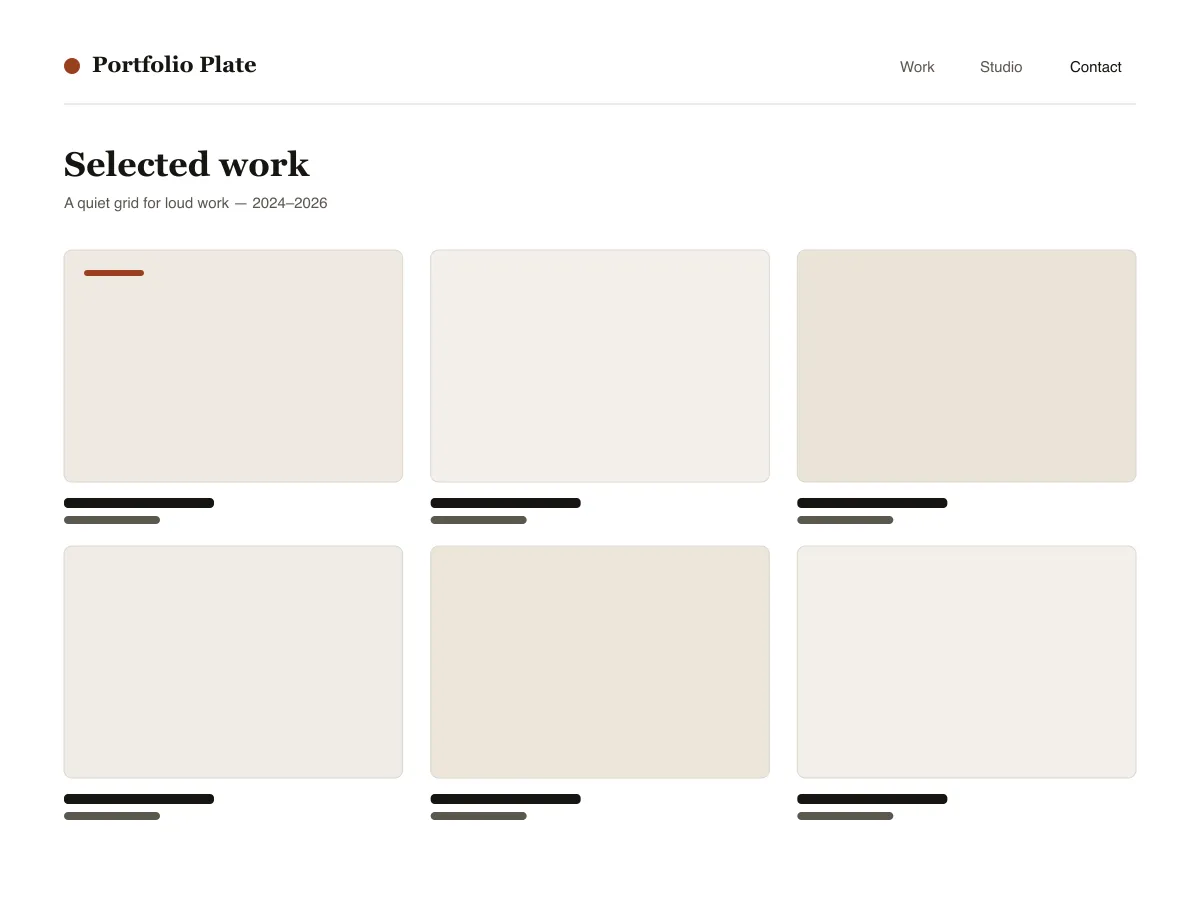
Portfolio Plate is a block theme for showing visual work. Each project is an ordinary post with a featured image: the home and archive pages show those images as a grid of 4:3 tiles that reflows from three columns to one as the screen narrows, and the single-post template shows the image wide, at its own proportions, followed by the text.
Under each project image sits a row of three facts — the date, the category (used as the discipline) and the tags — and previous/next links let visitors move through the work without returning to the grid.
Typography uses system fonts on a six-step fluid scale. The theme ships a dark style variation called Noir and three duotone filters (Ink, Clay and Slate) for making mixed photography look like one set.
Who it suits
Designers, illustrators, photographers and small studios who want their work to fill the screen, and who are happy to publish projects as normal WordPress posts.
What's in Portfolio Plate
- Auto-fitting project grid: the post-template uses theme.json grid layout with a 30rem minimum column, so the work goes three-up, two-up, then one-up without a single media query.
- Project detail template built for large images: alignwide featured image rendered at its natural ratio (never crop-forced), a three-column project facts row (published / discipline / tags), and previous/next project navigation.
- Fluid typography from theme.json clamps (six steps, small through display) on system font stacks only - a serif for headings, a neutral sans for chrome and meta. Zero external font or CDN requests.
- Bundled Noir dark style variation (styles/noir.json) plus three duotone presets (Ink, Clay, Slate) so galleries of mixed-source photography can be unified in one click.
- Accessibility: every palette pair passes WCAG AA, a visible :focus-visible ring on all interactive elements, styled skip link, semantic header/main/footer landmarks via template-part tagName.
- Three block styles registered with inline_style so their CSS only ships when used: Framed image, Panel group, Underline on hover for post titles.
Portfolio Plate at a glance
- Theme type
- Block theme (edited in the Site Editor)
- Current version
- 1.0.0
- First published
- July 14, 2026
- Requires WordPress
- 6.6
- Tested up to WordPress
- 6.8
- Requires PHP
- 7.4
Requirements come from the theme's own style.css. Checked on October 28, 2026.
Good to know before you install
- This theme is downloaded from this site, not from the WordPress.org directory, so WordPress will not show an update notice for it. Check this page for new versions.
- There is no separate “project” post type; projects are standard posts, so they also appear in your RSS feed.
- Grid tiles crop featured images to 4:3. The single-post page shows the full image uncropped.
Next steps
Free tools to set up your site
WordPress theme.json Generator
Build a valid theme.json — and see which half actually changes your site.
Open toolWordPress Image Size Lab
Drop an image in. See every copy WordPress will make of it.
Open toolWordPress .htaccess Generator
The rules WordPress needs, plus the hardening rules it does not ship with
Open toolRelated
Other themes you might like
FAQ
Portfolio Plate questions
What does Portfolio Plate need to run?
WordPress 6.6 or later and PHP 7.4 or later, according to its style.css, which also says it was tested up to WordPress 6.8. The current version is 1.0.0.
How do I add a project to Portfolio Plate?
Publish a normal post, set a featured image, give it a category (shown as the discipline) and tags. The post appears in the grid on the homepage and archives, and its own page uses the project layout.
Will Portfolio Plate crop my images?
In the grid, yes: tiles use a 4:3 aspect ratio. On the project page the featured image is shown wide at its natural ratio, without cropping.
Is there a dark version of Portfolio Plate?
Yes. Appearance → Editor → Styles lists the bundled Noir variation. Selecting it switches the whole site to a dark palette; there is no automatic switch based on the visitor's system setting.
Can I remove the Portfolio Plate footer credit?
Yes. Edit the Footer template part under Appearance → Editor → Patterns, delete the credit paragraph and save. Nothing depends on it.