What Portfolio Plate is for
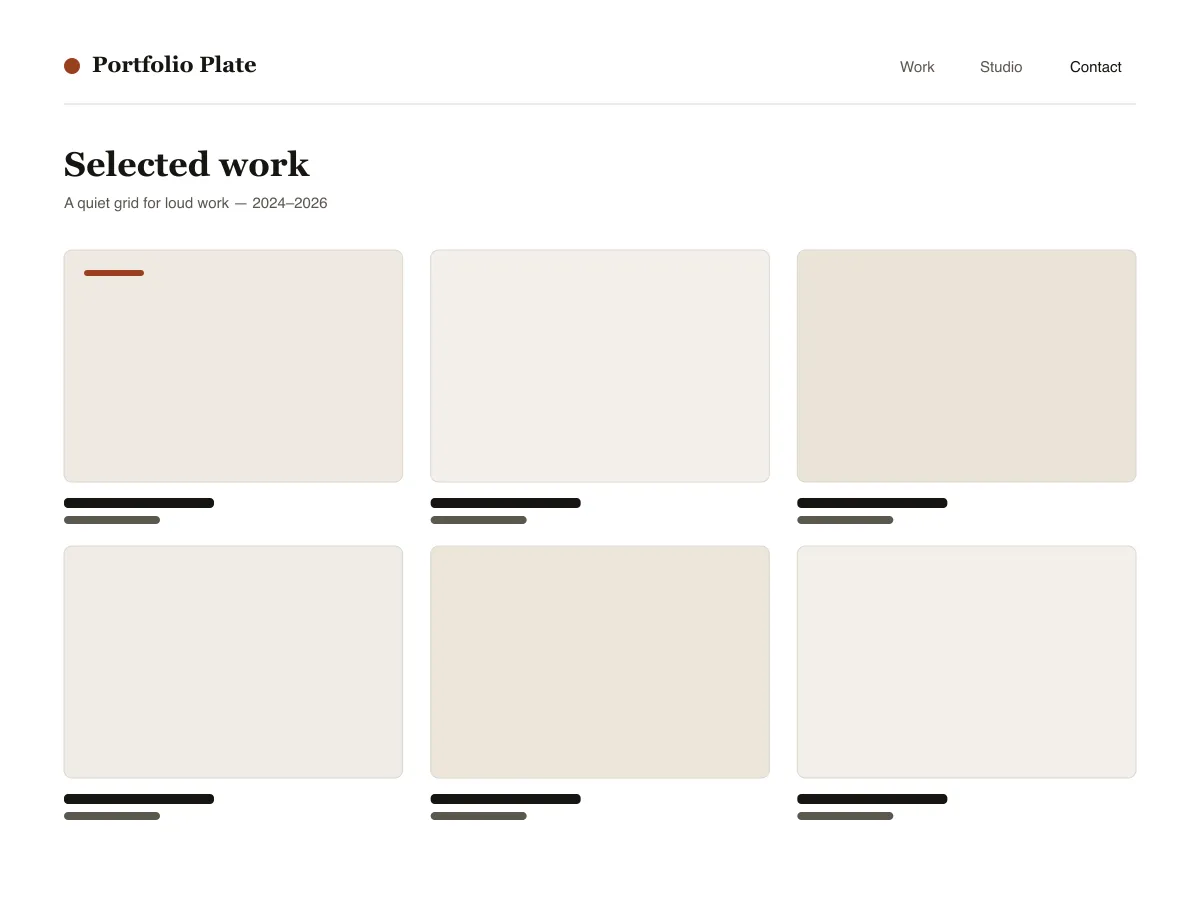
Portfolio Plate is a block theme for showing visual work. Each project is an ordinary post with a featured image: the home and archive pages show those images as a grid of 4:3 tiles that reflows from three columns to one as the screen narrows, and the single-post template shows the image wide, at its own proportions, followed by the text.
Under each project image sits a row of three facts — the date, the category (used as the discipline) and the tags — and previous/next links let visitors move through the work without returning to the grid.
Typography uses system fonts on a six-step fluid scale. The theme ships a dark style variation called Noir and three duotone filters (Ink, Clay and Slate) for making mixed photography look like one set.
Who it suits
Designers, illustrators, photographers and small studios who want their work to fill the screen, and who are happy to publish projects as normal WordPress posts.
มีอะไรใน Portfolio Plate บ้าง
- กริดโปรเจกต์ที่ปรับขนาดอัตโนมัติ: เทมเพลตโพสต์ใช้เลย์เอาต์กริดของ theme.json โดยกำหนดคอลัมน์ขั้นต่ำที่ 30rem ผลงานจึงเรียงสามช่อง สองช่อง แล้วเหลือช่องเดียวได้โดยไม่ต้องใช้ media query แม้แต่บรรทัดเดียว
- เทมเพลตรายละเอียดโปรเจกต์ที่สร้างมาเพื่อภาพขนาดใหญ่: ภาพเด่นแบบ alignwide แสดงผลตามอัตราส่วนธรรมชาติ (ไม่บังคับครอป) แถวข้อมูลโปรเจกต์สามคอลัมน์ (เผยแพร่ / สาขางาน / แท็ก) และการนำทางไปโปรเจกต์ก่อนหน้า/ถัดไป
- การจัดพิมพ์แบบลื่นไหลจากค่า clamp ใน theme.json (หกระดับ ตั้งแต่เล็กไปจนถึงขนาดจอแสดง) บนชุดฟอนต์ระบบล้วน ๆ - ฟอนต์ serif สำหรับหัวเรื่อง และ sans โทนกลางสำหรับส่วนตกแต่งและข้อมูลกำกับ ไม่มีการเรียกฟอนต์ภายนอกหรือ CDN เลย
- สไตล์โหมดมืด Noir ที่ให้มาในตัว (styles/noir.json) พร้อมพรีเซ็ต duotone สามแบบ (Ink, Clay, Slate) เพื่อให้แกลเลอรีภาพถ่ายจากหลายแหล่งดูเป็นอันหนึ่งอันเดียวกันได้ในคลิกเดียว
- การเข้าถึง: ทุกคู่สีในพาเลตผ่านมาตรฐาน WCAG AA มีวง :focus-visible ที่มองเห็นได้บนทุกองค์ประกอบที่โต้ตอบได้ ลิงก์ข้ามที่จัดสไตล์ไว้ และแลนด์มาร์กเชิงความหมาย header/main/footer ผ่าน tagName ของ template-part
- Three block styles registered with inline_style so their CSS only ships when used: Framed image, Panel group, Underline on hover for post titles.
Portfolio Plate at a glance
- Theme type
- Block theme (edited in the Site Editor)
- Current version
- 1.0.0
- First published
- 14 กรกฎาคม 2569
- Requires WordPress
- 6.6
- Tested up to WordPress
- 6.8
- Requires PHP
- 7.4
Requirements come from the theme's own style.css. Checked on 28 ตุลาคม 2569.
Good to know before you install
- This theme is downloaded from this site, not from the WordPress.org directory, so WordPress will not show an update notice for it. Check this page for new versions.
- There is no separate “project” post type; projects are standard posts, so they also appear in your RSS feed.
- Grid tiles crop featured images to 4:3. The single-post page shows the full image uncropped.
ขั้นตอนถัดไป
เครื่องมือฟรีสำหรับตั้งค่าเว็บไซต์ของคุณ
เครื่องมือสร้าง theme.json สำหรับ WordPress
สร้าง theme.json ที่ถูกต้อง และดูว่าส่วนไหนเปลี่ยนเว็บของคุณจริง
เปิดเครื่องมือห้องแล็บขนาดรูปภาพ WordPress
วางรูปลงไป แล้วดูทุกสำเนาที่ WordPress จะสร้างจากมัน
เปิดเครื่องมือตัวสร้าง .htaccess สำหรับ WordPress
กฎที่ WordPress ต้องใช้ บวกกับกฎเสริมความปลอดภัยที่ไม่ได้ให้มาในตัว
เปิดเครื่องมือที่เกี่ยวข้อง
ธีมอื่นที่คุณอาจชอบ
คำถามที่พบบ่อย
คำถามเกี่ยวกับ Portfolio Plate
What does Portfolio Plate need to run?
WordPress 6.6 or later and PHP 7.4 or later, according to its style.css, which also says it was tested up to WordPress 6.8. The current version is 1.0.0.
How do I add a project to Portfolio Plate?
Publish a normal post, set a featured image, give it a category (shown as the discipline) and tags. The post appears in the grid on the homepage and archives, and its own page uses the project layout.
Will Portfolio Plate crop my images?
In the grid, yes: tiles use a 4:3 aspect ratio. On the project page the featured image is shown wide at its natural ratio, without cropping.
Is there a dark version of Portfolio Plate?
Yes. Appearance → Editor → Styles lists the bundled Noir variation. Selecting it switches the whole site to a dark palette; there is no automatic switch based on the visitor's system setting.
Can I remove the Portfolio Plate footer credit?
Yes. Edit the Footer template part under Appearance → Editor → Patterns, delete the credit paragraph and save. Nothing depends on it.