What Quietype is for
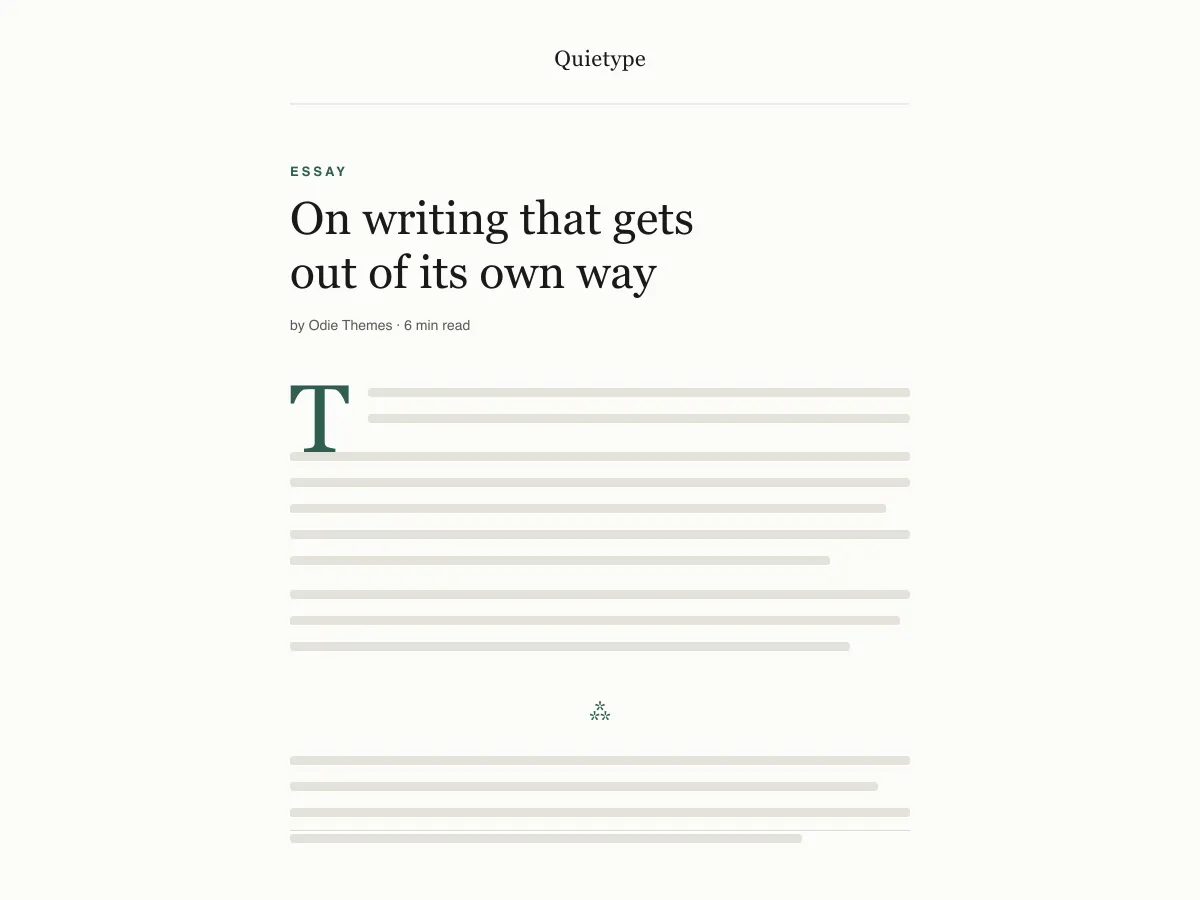
Quietype is a block theme for people who mostly write: essays, newsletters, personal blogs. Every template is a single column capped at 42rem — roughly sixty-eight characters a line — with no sidebar and no widget areas, so a post page is the post and little else.
Typography uses system font stacks and a fluid size scale, so text renders on the first paint without downloading a font. A second palette switches on automatically when a visitor's device is set to dark mode, and printing a post strips the navigation and spells out link addresses.
It ships five templates (index, single, page, archive, 404), two template parts (header and footer) and four block styles. There are no patterns to learn and no settings screen; design changes happen in Appearance → Editor.
Who it suits
Writers who want long posts to read comfortably on any screen, and who would rather have no sidebar, no widgets and no third-party requests than a page full of options.
มีอะไรใน Quietype บ้าง
- ความกว้างการอ่านถูกล็อกไว้ที่ประมาณ 68 ตัวอักษร (contentSize 42rem) ด้วยความสูงบรรทัด 1.7 และสเกลตัวอักษรแบบยืดหยุ่นด้วย clamp() ตั้งแต่คำบรรยายภาพขนาด 13px ไปจนถึงขนาดตัวแสดงผล 52px
- โหมดสว่าง/มืดอัตโนมัติ ทุกสีใน theme.json ถูกอ้างอิงเป็น preset custom property ดังนั้นการกำหนดค่า prefers-color-scheme เพียงจุดเดียวก็พลิกทั้งเว็บไซต์และแคนวาสของตัวแก้ไขได้ ชุดสีทั้งสองแบบผ่านมาตรฐาน WCAG AA
- ไม่มีการเรียกเครือข่ายเลย ใช้ฟอนต์ระบบแบบ serif, sans และ mono เท่านั้น ไม่มี Google Fonts, ไม่มี CDN ไอคอน, ไม่มีปลั๊กอินแถมมา, ไม่มีการขายรุ่นอัปเกรด, ไม่มีการติดตาม
- พร้อมด้านการเข้าถึง มีลิงก์ข้าม (skip link) หลัก (ทุกเทมเพลตแสดง <main> landmark จริง), เส้นขอบ :focus-visible พร้อม fallback แบบ :focus, แท็กเชิงความหมาย header/main/article/footer และการรองรับ prefers-reduced-motion
- สไตล์บล็อกแบบกำหนดเองสี่แบบที่สร้างมาเพื่อเรียงความ ทั้งเส้นคั่นแบบ Hairline และ Asterism, ภาพแบบมีกรอบ (Framed) และข้อความอ้างอิงแบบ Plain (ไม่มีเส้น) พร้อมอักษรตัวแรกขนาดใหญ่ (drop cap) ที่วางอยู่บนเส้นฐานจริง ๆ
- สไตล์ชีตสำหรับพิมพ์ที่ตัดองค์ประกอบตกแต่งออกและขยาย URL ของลิงก์ให้แสดงในเนื้อความ เพราะผู้อ่านเนื้อหายาว ๆ ก็ยังพิมพ์ออกมาอ่านอยู่
Quietype at a glance
- Theme type
- Block theme (edited in the Site Editor)
- Current version
- 1.0.0
- First published
- 14 กรกฎาคม 2569
- Requires WordPress
- 6.5
- Tested up to WordPress
- 6.8
- Requires PHP
- 7.4
Requirements come from the theme's own style.css. Checked on 28 ตุลาคม 2569.
Good to know before you install
- This theme is downloaded from this site, not from the WordPress.org directory, so WordPress will not show an update notice for it. Check this page for new versions.
- Dark mode follows the visitor's system setting. There is no on-page toggle.
- There is no search template; search results use the index template.
ขั้นตอนถัดไป
เครื่องมือฟรีสำหรับตั้งค่าเว็บไซต์ของคุณ
เครื่องมือสร้าง theme.json สำหรับ WordPress
สร้าง theme.json ที่ถูกต้อง และดูว่าส่วนไหนเปลี่ยนเว็บของคุณจริง
เปิดเครื่องมือห้องแล็บขนาดรูปภาพ WordPress
วางรูปลงไป แล้วดูทุกสำเนาที่ WordPress จะสร้างจากมัน
เปิดเครื่องมือตัวสร้าง .htaccess สำหรับ WordPress
กฎที่ WordPress ต้องใช้ บวกกับกฎเสริมความปลอดภัยที่ไม่ได้ให้มาในตัว
เปิดเครื่องมือที่เกี่ยวข้อง
ธีมอื่นที่คุณอาจชอบ
คำถามที่พบบ่อย
คำถามเกี่ยวกับ Quietype
What does Quietype need to run?
WordPress 6.5 or later and PHP 7.4 or later, according to its style.css, which also says it was tested up to WordPress 6.8. The current version is 1.0.0.
Does Quietype load any external fonts or scripts?
No. It enqueues only its own stylesheet and uses system serif, sans-serif and monospace font stacks, so it makes no requests to Google Fonts or any other CDN.
How does the Quietype dark mode work?
It follows the visitor's operating-system preference through a prefers-color-scheme media query, which swaps the palette for the site and the editor canvas. There is no toggle button. Text colours in both palettes measure above the WCAG AA contrast ratio of 4.5:1 against their backgrounds.
Can I add a sidebar or widgets to Quietype?
Not out of the box — the layout is deliberately one column and the theme registers no widget areas. You can add blocks to the header or footer template parts in the Site Editor, but a sidebar works against what the theme is for.
Can I remove the Quietype footer credit?
Yes. Open Appearance → Editor → Patterns → Template Parts → Footer, delete the paragraph with the credit and save. Nothing depends on it.