QuietypeMinimalistisches WordPress Blog Theme
Ein Theme, das hinter den Satz zurücktritt.
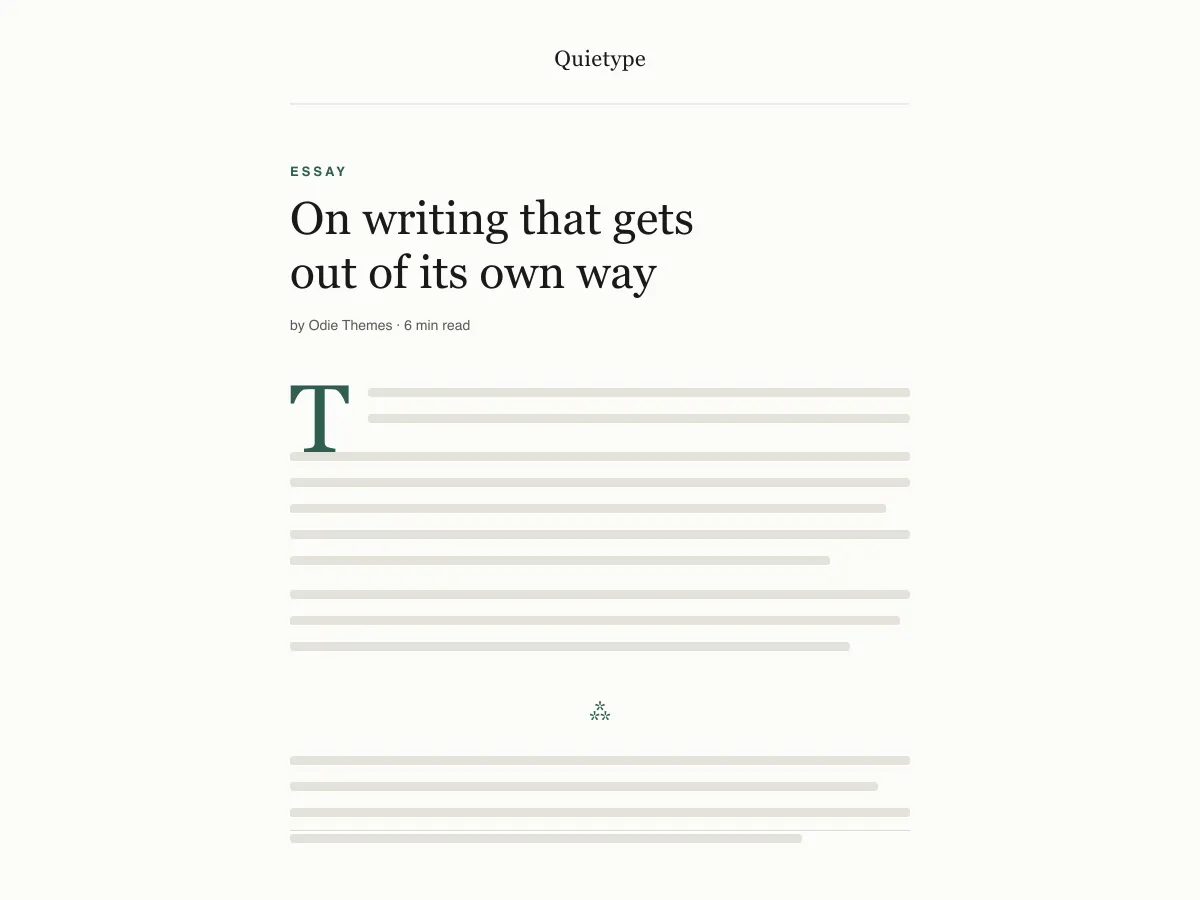
What Quietype is for
Quietype is a block theme for people who mostly write: essays, newsletters, personal blogs. Every template is a single column capped at 42rem — roughly sixty-eight characters a line — with no sidebar and no widget areas, so a post page is the post and little else.
Typography uses system font stacks and a fluid size scale, so text renders on the first paint without downloading a font. A second palette switches on automatically when a visitor's device is set to dark mode, and printing a post strips the navigation and spells out link addresses.
It ships five templates (index, single, page, archive, 404), two template parts (header and footer) and four block styles. There are no patterns to learn and no settings screen; design changes happen in Appearance → Editor.
Who it suits
Writers who want long posts to read comfortably on any screen, and who would rather have no sidebar, no widgets and no third-party requests than a page full of options.
Was in Quietype steckt
- Zeilenbreite fest auf ~68 Zeichen begrenzt (42rem contentSize) mit einer Zeilenhöhe von 1.7 und einer fluiden clamp()-Schriftskala von 13px-Bildunterschriften bis zu einer 52px-Display-Größe.
- Automatischer Hell-/Dunkelmodus: Jede Farbe in theme.json wird als Preset-Custom-Property referenziert, sodass ein einziges prefers-color-scheme-Override die gesamte Website und die Editor-Leinwand umschaltet. Beide Paletten erfüllen WCAG AA.
- Null Netzwerkaufrufe: nur System-Serif-, -Sans- und -Mono-Stacks. Keine Google Fonts, kein Icon-CDN, kein gebündeltes Plugin, keine Upsells, kein Tracking.
- Barrierefrei: Core-Skip-Link (jedes Template stellt eine echte <main>-Landmark bereit), :focus-visible-Umrandungen mit :focus-Fallback, semantische header/main/article/footer-Tags und Handling von prefers-reduced-motion.
- Vier eigene Block-Stile für Essays: Hairline- und Asterism-Trenner, ein gerahmtes Bild (Framed) und ein schlichtes Zitat ohne Linie (Plain) — plus einen Initialbuchstaben, der wirklich auf der Grundlinie sitzt.
- Druck-Stylesheet, das die Bedienelemente entfernt und Link-URLs im Fließtext ausschreibt – denn Leser langer Texte drucken noch immer.
Quietype at a glance
- Theme type
- Block theme (edited in the Site Editor)
- Current version
- 1.0.0
- First published
- 14. Juli 2026
- Requires WordPress
- 6.5
- Tested up to WordPress
- 6.8
- Requires PHP
- 7.4
Requirements come from the theme's own style.css. Checked on 28. Oktober 2026.
Good to know before you install
- This theme is downloaded from this site, not from the WordPress.org directory, so WordPress will not show an update notice for it. Check this page for new versions.
- Dark mode follows the visitor's system setting. There is no on-page toggle.
- There is no search template; search results use the index template.
Nächste Schritte
Kostenlose Tools, um deine Website einzurichten
WordPress theme.json Generator
Erstelle eine gültige theme.json – und sieh, welche Hälfte deine Website wirklich verändert.
Tool öffnenWordPress-Bildgrößen-Labor
Bild hineinziehen. Sieh jede Kopie, die WordPress davon anlegt.
Tool öffnenWordPress .htaccess-Generator
Die Regeln, die WordPress braucht — plus die Härtungsregeln, die nicht mitgeliefert werden
Tool öffnenVerwandt
Weitere Themes, die dir gefallen könnten
FAQ
Fragen zu Quietype
What does Quietype need to run?
WordPress 6.5 or later and PHP 7.4 or later, according to its style.css, which also says it was tested up to WordPress 6.8. The current version is 1.0.0.
Does Quietype load any external fonts or scripts?
No. It enqueues only its own stylesheet and uses system serif, sans-serif and monospace font stacks, so it makes no requests to Google Fonts or any other CDN.
How does the Quietype dark mode work?
It follows the visitor's operating-system preference through a prefers-color-scheme media query, which swaps the palette for the site and the editor canvas. There is no toggle button. Text colours in both palettes measure above the WCAG AA contrast ratio of 4.5:1 against their backgrounds.
Can I add a sidebar or widgets to Quietype?
Not out of the box — the layout is deliberately one column and the theme registers no widget areas. You can add blocks to the header or footer template parts in the Site Editor, but a sidebar works against what the theme is for.
Can I remove the Quietype footer credit?
Yes. Open Appearance → Editor → Patterns → Template Parts → Footer, delete the paragraph with the credit and save. Nothing depends on it.