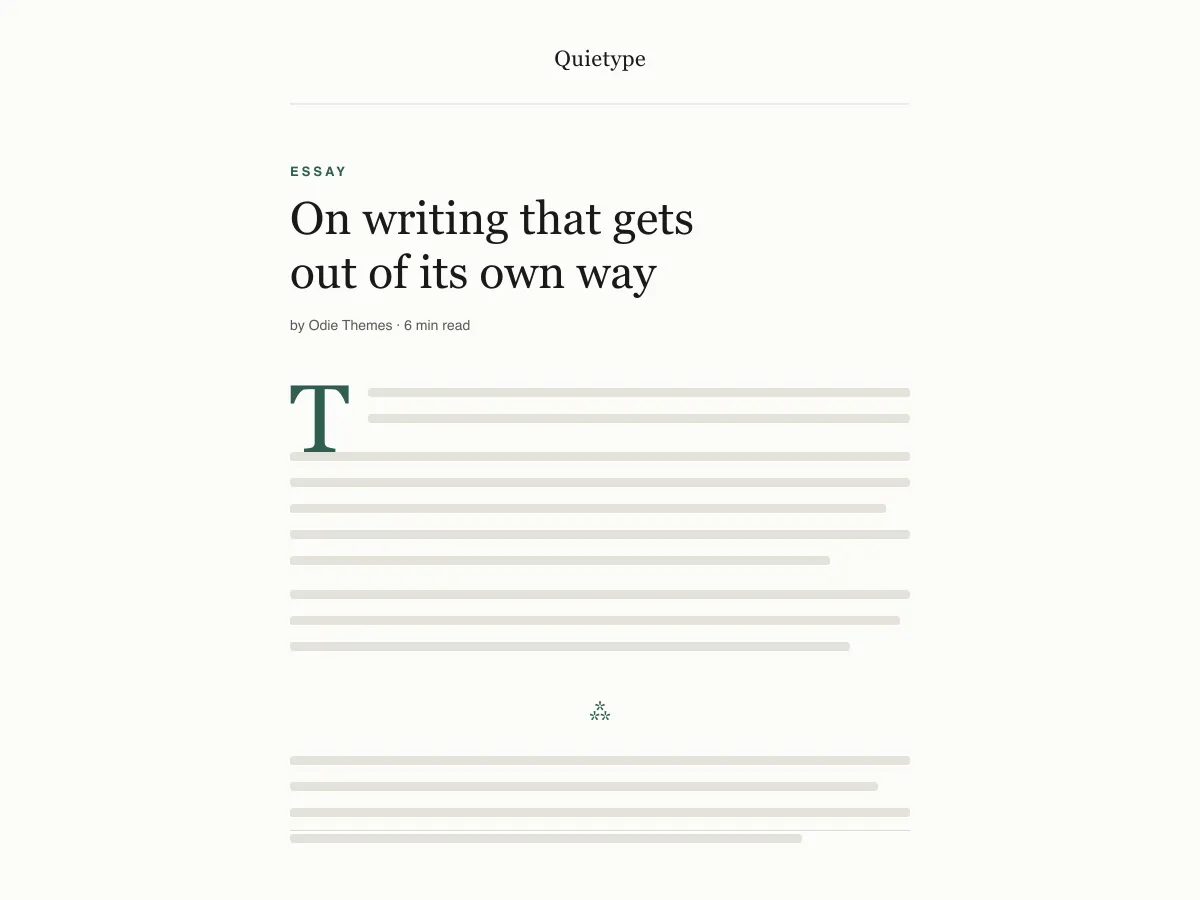
What Quietype is for
Quietype is a block theme for people who mostly write: essays, newsletters, personal blogs. Every template is a single column capped at 42rem — roughly sixty-eight characters a line — with no sidebar and no widget areas, so a post page is the post and little else.
Typography uses system font stacks and a fluid size scale, so text renders on the first paint without downloading a font. A second palette switches on automatically when a visitor's device is set to dark mode, and printing a post strips the navigation and spells out link addresses.
It ships five templates (index, single, page, archive, 404), two template parts (header and footer) and four block styles. There are no patterns to learn and no settings screen; design changes happen in Appearance → Editor.
Who it suits
Writers who want long posts to read comfortably on any screen, and who would rather have no sidebar, no widgets and no third-party requests than a page full of options.
Có gì trong Quietype
- Độ dài dòng đọc được khóa ở khoảng 68 ký tự (contentSize 42rem) với chiều cao dòng 1.7 và một thang kích thước chữ co giãn bằng clamp() từ chú thích 13px đến cỡ chữ hiển thị 52px.
- Chế độ sáng/tối tự động: mọi màu trong theme.json đều được tham chiếu như một thuộc tính tùy chỉnh dựng sẵn, nên chỉ một lệnh ghi đè prefers-color-scheme là lật toàn bộ website lẫn khung soạn thảo. Cả hai bảng màu đều đạt chuẩn WCAG AA.
- Không có lệnh gọi mạng nào: chỉ dùng các bộ phông hệ thống serif, sans và mono. Không Google Fonts, không CDN biểu tượng, không plugin đi kèm, không gạ bán thêm, không theo dõi.
- Sẵn sàng cho khả năng tiếp cận: liên kết bỏ qua của lõi (mọi mẫu đều bộc lộ một vùng mốc <main> thực thụ), viền :focus-visible kèm phương án dự phòng :focus, các thẻ ngữ nghĩa header/main/article/footer, và xử lý prefers-reduced-motion.
- Bốn kiểu khối tùy chỉnh được tạo cho các bài tiểu luận: dấu phân cách Hairline và Asterism, một ảnh có Khung, và một trích dẫn Trơn (không đường kẻ) — cùng một chữ cái đầu lớn thực sự nằm đúng trên đường cơ sở (baseline).
- Stylesheet dành cho bản in giúp loại bỏ các thành phần giao diện thừa và hiển thị đầy đủ URL của liên kết ngay trong nội dung, vì người đọc nội dung dài vẫn còn in ra giấy.
Quietype at a glance
- Theme type
- Block theme (edited in the Site Editor)
- Current version
- 1.0.0
- First published
- 14 tháng 7, 2026
- Requires WordPress
- 6.5
- Tested up to WordPress
- 6.8
- Requires PHP
- 7.4
Requirements come from the theme's own style.css. Checked on 28 tháng 10, 2026.
Good to know before you install
- This theme is downloaded from this site, not from the WordPress.org directory, so WordPress will not show an update notice for it. Check this page for new versions.
- Dark mode follows the visitor's system setting. There is no on-page toggle.
- There is no search template; search results use the index template.
Bước tiếp theo
Công cụ miễn phí để thiết lập trang web của bạn
Trình tạo theme.json cho WordPress
Tạo tệp theme.json hợp lệ — và xem nửa nào thực sự thay đổi trang web của bạn.
Mở công cụPhòng thí nghiệm kích thước ảnh WordPress
Thả một ảnh vào. Xem mọi bản sao mà WordPress sẽ tạo ra từ nó.
Mở công cụTrình tạo .htaccess cho WordPress
Những quy tắc WordPress cần, cộng thêm các quy tắc tăng cường bảo mật mà nó không có sẵn
Mở công cụLiên quan
Các theme khác bạn có thể thích
Câu hỏi thường gặp
Câu hỏi về Quietype
What does Quietype need to run?
WordPress 6.5 or later and PHP 7.4 or later, according to its style.css, which also says it was tested up to WordPress 6.8. The current version is 1.0.0.
Does Quietype load any external fonts or scripts?
No. It enqueues only its own stylesheet and uses system serif, sans-serif and monospace font stacks, so it makes no requests to Google Fonts or any other CDN.
How does the Quietype dark mode work?
It follows the visitor's operating-system preference through a prefers-color-scheme media query, which swaps the palette for the site and the editor canvas. There is no toggle button. Text colours in both palettes measure above the WCAG AA contrast ratio of 4.5:1 against their backgrounds.
Can I add a sidebar or widgets to Quietype?
Not out of the box — the layout is deliberately one column and the theme registers no widget areas. You can add blocks to the header or footer template parts in the Site Editor, but a sidebar works against what the theme is for.
Can I remove the Quietype footer credit?
Yes. Open Appearance → Editor → Patterns → Template Parts → Footer, delete the paragraph with the credit and save. Nothing depends on it.