Ledger DocsTheme WordPress tài liệu
Giao diện tài liệu nhẹ nhàng, nhanh gọn dành cho người viết tài liệu, không phải trang tiếp thị.
What Ledger Docs is for
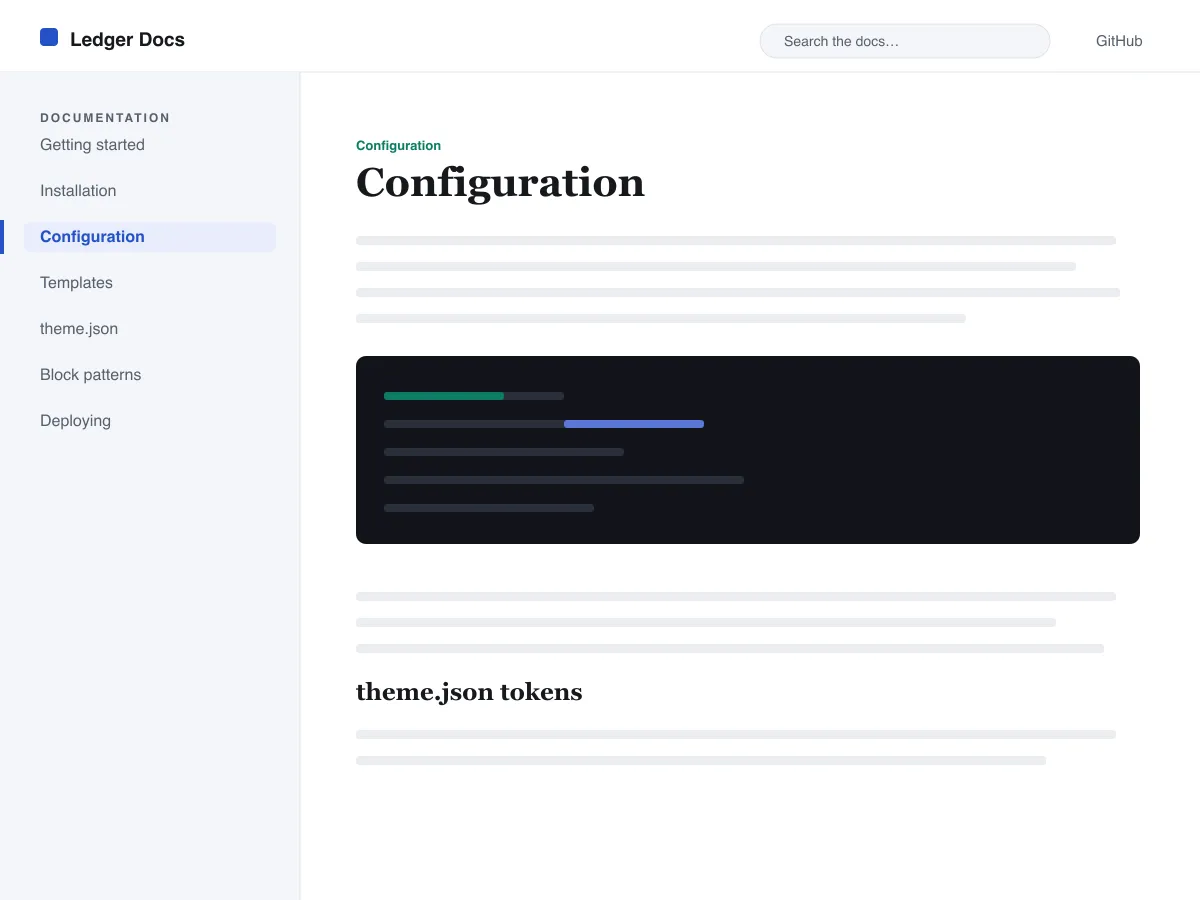
Ledger Docs is a block theme for documentation: plugin and theme manuals, open-source project docs, internal handbooks. Each template puts a vertical Navigation block in a left-hand column that stays in view as the reader scrolls on screens wider than 782px, with the content beside it.
Code is treated as content, not decoration. The Code and Preformatted blocks get a border, padding and a monospace system font from theme.json, and inline code is styled to stay legible inside a sentence. A search field sits in the header on every page and on the 404 page.
It uses system fonts, makes no third-party requests, and ships five templates (index, single, page, archive, 404) and two template parts. There is one light colour palette; colours can be changed in Styles.
Who it suits
Plugin authors, open-source maintainers and teams who want a WordPress site that reads like a manual — sidebar tree, search, code samples — without a docs plugin or a page builder.
Có gì trong Ledger Docs
- Thanh bên tài liệu cố định bên trái được dựng từ khối Navigation tiêu chuẩn, nên tác giả quản lý cây tài liệu ngay trong trình soạn thảo mà không cần viết code.
- Trình bày mã nguồn hạng nhất: khối core/code và core/preformatted có viền, font đơn cách, cùng mã inline được tạo kiểu, tất cả điều khiển qua theme.json.
- Kiểu chữ font hệ thống co giãn qua clamp() với thang cỡ chữ được tinh chỉnh, độ cao dòng thoáng và không có tệp font bên ngoài hay đóng gói kèm.
- A restrained light palette (white base, near-black text, one blue primary) with two duotone filters; every text colour measures above WCAG AA contrast on the base and surface colours.
- Sẵn sàng cho trợ năng: liên kết bỏ qua (skip link), tiêu điểm bàn phím hiển thị rõ, các vùng mốc ngữ nghĩa header/main/footer và hỗ trợ prefers-reduced-motion.
- Trang lưu trữ thân thiện với tìm kiếm nhờ ô tìm kiếm luôn hiển thị ở phần đầu trang và danh sách query-loop gọn gàng để duyệt tài liệu.
Ledger Docs at a glance
- Theme type
- Block theme (edited in the Site Editor)
- Current version
- 1.0.0
- First published
- 14 tháng 7, 2026
- Requires WordPress
- 6.5
- Tested up to WordPress
- 6.7
- Requires PHP
- 7.4
Requirements come from the theme's own style.css. Checked on 28 tháng 10, 2026.
Good to know before you install
- This theme is downloaded from this site, not from the WordPress.org directory, so WordPress will not show an update notice for it. Check this page for new versions.
- There is no dark mode and no bundled style variation.
- Code blocks are styled but not syntax-highlighted; use a highlighting plugin if you need colours.
- The sidebar and header Navigation blocks ship without a menu assigned, so WordPress shows its fallback menu in both until you pick one.
Bước tiếp theo
Công cụ miễn phí để thiết lập trang web của bạn
Trình tạo theme.json cho WordPress
Tạo tệp theme.json hợp lệ — và xem nửa nào thực sự thay đổi trang web của bạn.
Mở công cụPhòng thí nghiệm kích thước ảnh WordPress
Thả một ảnh vào. Xem mọi bản sao mà WordPress sẽ tạo ra từ nó.
Mở công cụTrình tạo .htaccess cho WordPress
Những quy tắc WordPress cần, cộng thêm các quy tắc tăng cường bảo mật mà nó không có sẵn
Mở công cụLiên quan
Các theme khác bạn có thể thích
Câu hỏi thường gặp
Câu hỏi về Ledger Docs
What does Ledger Docs need to run?
WordPress 6.5 or later and PHP 7.4 or later, according to its style.css, which also says it was tested up to WordPress 6.7. The current version is 1.0.0.
Does Ledger Docs highlight code syntax?
No. It styles the Code and Preformatted blocks (border, padding, monospace font) and inline code, but colouring code by language is plugin territory. Its blocks are built to sit well next to any highlighter.
How do I give the docs sidebar its own menu?
Open Appearance → Editor → Templates, edit a template such as Single, select the Navigation block in the left column and choose or create a menu in its settings. Do the same in the Page, Index and Archive templates. Until you do, WordPress fills every Navigation block, including the header one, with the same fallback menu.
Does Ledger Docs have a dark mode?
No. It ships one light palette with a near-black text colour and a blue primary. You can change any colour under Appearance → Editor → Styles.
Can I remove the Ledger Docs footer credit?
Yes. Edit the Footer template part in Appearance → Editor → Patterns, delete the “Theme by Odie Themes” paragraph and save. Nothing depends on it.