Ledger DocsTema de documentación para WordPress
Un tema de documentación tranquilo y rápido para quienes escriben documentación, no páginas de marketing.
What Ledger Docs is for
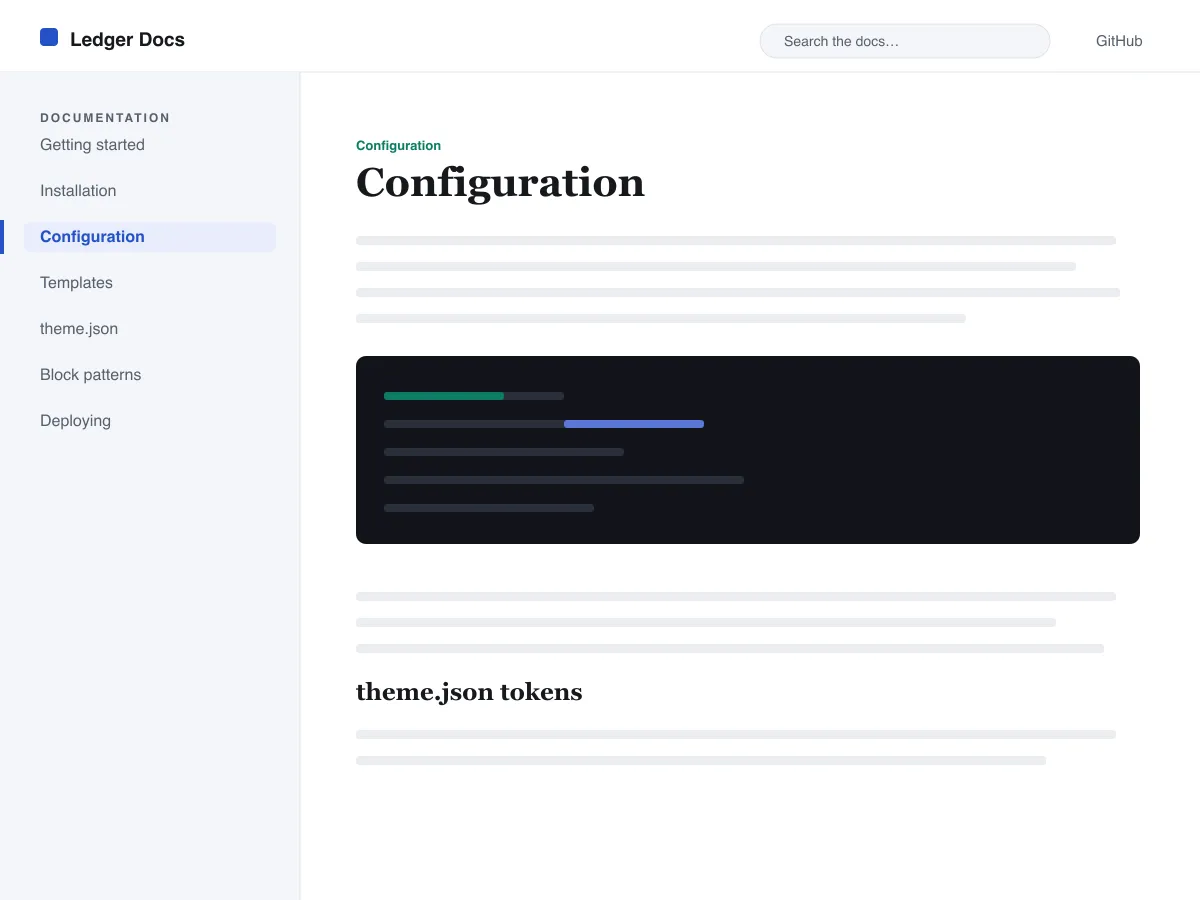
Ledger Docs is a block theme for documentation: plugin and theme manuals, open-source project docs, internal handbooks. Each template puts a vertical Navigation block in a left-hand column that stays in view as the reader scrolls on screens wider than 782px, with the content beside it.
Code is treated as content, not decoration. The Code and Preformatted blocks get a border, padding and a monospace system font from theme.json, and inline code is styled to stay legible inside a sentence. A search field sits in the header on every page and on the 404 page.
It uses system fonts, makes no third-party requests, and ships five templates (index, single, page, archive, 404) and two template parts. There is one light colour palette; colours can be changed in Styles.
Who it suits
Plugin authors, open-source maintainers and teams who want a WordPress site that reads like a manual — sidebar tree, search, code samples — without a docs plugin or a page builder.
Qué incluye Ledger Docs
- Barra lateral de documentación fija a la izquierda, construida con un bloque de Navegación estándar, para que los autores gestionen el árbol de documentación desde el editor sin escribir código.
- Presentación del código de primer nivel: bloques core/code y core/preformatted con borde y tipografía monoespaciada, además de código en línea con estilo, todo controlado desde theme.json.
- Tipografía fluida con fuentes del sistema mediante clamp(), con una escala tipográfica ajustada, un interlineado generoso y sin archivos de fuentes externos ni incluidos.
- A restrained light palette (white base, near-black text, one blue primary) with two duotone filters; every text colour measures above WCAG AA contrast on the base and surface colours.
- Preparado para accesibilidad: enlace para saltar al contenido, foco de teclado visible, puntos de referencia semánticos header/main/footer y compatibilidad con prefers-reduced-motion.
- Archivos fáciles de buscar con un campo de búsqueda permanente en la cabecera y listados limpios con el bloque Bucle de consulta para navegar por la documentación.
Ledger Docs at a glance
- Theme type
- Block theme (edited in the Site Editor)
- Current version
- 1.0.0
- First published
- 14 de julio de 2026
- Requires WordPress
- 6.5
- Tested up to WordPress
- 6.7
- Requires PHP
- 7.4
Requirements come from the theme's own style.css. Checked on 28 de octubre de 2026.
Good to know before you install
- This theme is downloaded from this site, not from the WordPress.org directory, so WordPress will not show an update notice for it. Check this page for new versions.
- There is no dark mode and no bundled style variation.
- Code blocks are styled but not syntax-highlighted; use a highlighting plugin if you need colours.
- The sidebar and header Navigation blocks ship without a menu assigned, so WordPress shows its fallback menu in both until you pick one.
Próximos pasos
Herramientas gratis para montar tu sitio
Generador de theme.json para WordPress
Crea un theme.json válido y descubre qué mitad cambia realmente tu sitio.
Abrir herramientaLaboratorio de tamaños de imagen de WordPress
Suelta una imagen. Mira todas las copias que WordPress hará de ella.
Abrir herramientaGenerador de .htaccess para WordPress
Las reglas que WordPress necesita, más las reglas de refuerzo que no trae de serie
Abrir herramientaRelacionados
Otros temas que te pueden gustar
Preguntas frecuentes
Preguntas sobre Ledger Docs
What does Ledger Docs need to run?
WordPress 6.5 or later and PHP 7.4 or later, according to its style.css, which also says it was tested up to WordPress 6.7. The current version is 1.0.0.
Does Ledger Docs highlight code syntax?
No. It styles the Code and Preformatted blocks (border, padding, monospace font) and inline code, but colouring code by language is plugin territory. Its blocks are built to sit well next to any highlighter.
How do I give the docs sidebar its own menu?
Open Appearance → Editor → Templates, edit a template such as Single, select the Navigation block in the left column and choose or create a menu in its settings. Do the same in the Page, Index and Archive templates. Until you do, WordPress fills every Navigation block, including the header one, with the same fallback menu.
Does Ledger Docs have a dark mode?
No. It ships one light palette with a near-black text colour and a blue primary. You can change any colour under Appearance → Editor → Styles.
Can I remove the Ledger Docs footer credit?
Yes. Edit the Footer template part in Appearance → Editor → Patterns, delete the “Theme by Odie Themes” paragraph and save. Nothing depends on it.