Ledger DocsThème WordPress documentation
Un thème de documentation sobre et rapide, pour celles et ceux qui rédigent de la doc, pas des pages marketing.
What Ledger Docs is for
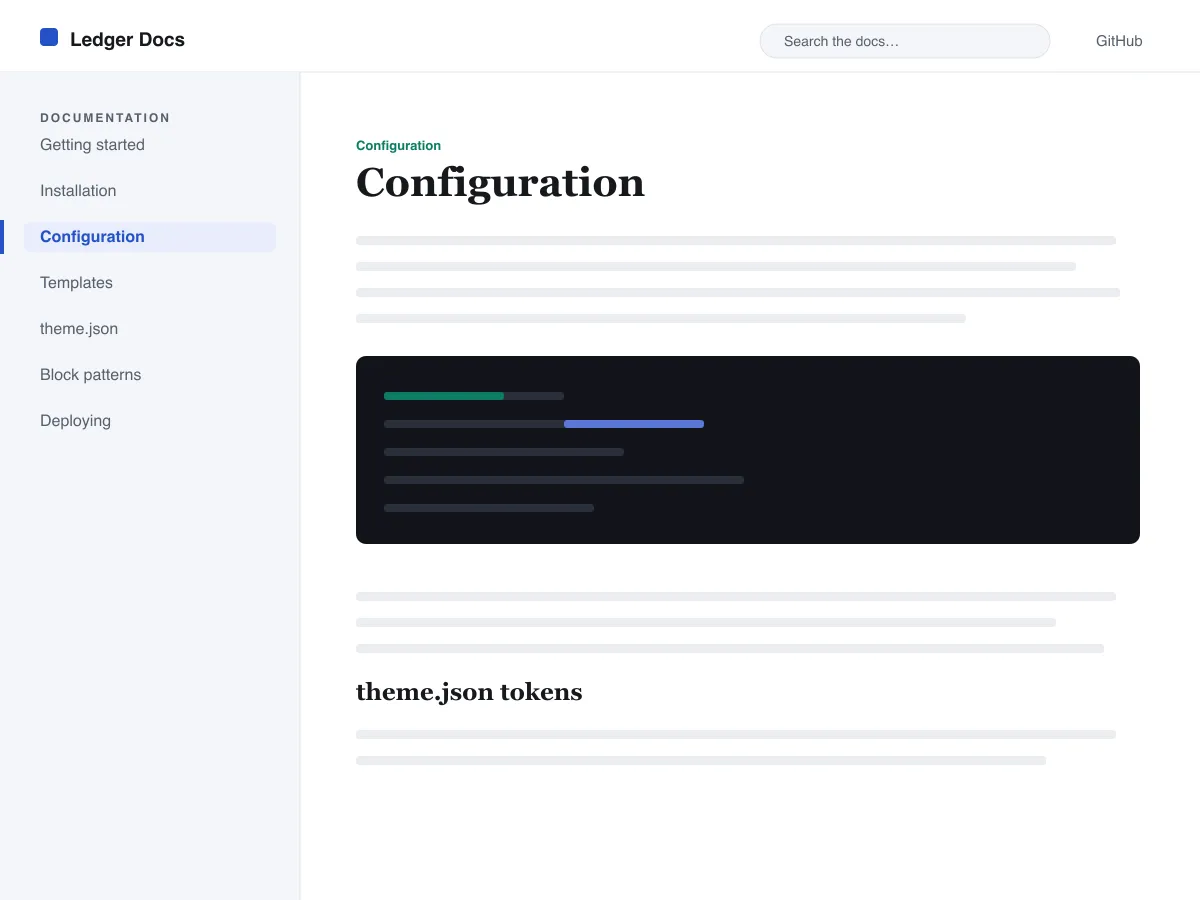
Ledger Docs is a block theme for documentation: plugin and theme manuals, open-source project docs, internal handbooks. Each template puts a vertical Navigation block in a left-hand column that stays in view as the reader scrolls on screens wider than 782px, with the content beside it.
Code is treated as content, not decoration. The Code and Preformatted blocks get a border, padding and a monospace system font from theme.json, and inline code is styled to stay legible inside a sentence. A search field sits in the header on every page and on the 404 page.
It uses system fonts, makes no third-party requests, and ships five templates (index, single, page, archive, 404) and two template parts. There is one light colour palette; colours can be changed in Styles.
Who it suits
Plugin authors, open-source maintainers and teams who want a WordPress site that reads like a manual — sidebar tree, search, code samples — without a docs plugin or a page builder.
Ce que contient Ledger Docs
- Barre latérale de documentation fixe à gauche, construite à partir d'un bloc Navigation standard : les auteurs gèrent l'arborescence de la doc depuis l'éditeur, sans code.
- Présentation du code soignée : blocs core/code et core/preformatted à chasse fixe et avec bordure, plus un code en ligne mis en forme, le tout piloté par theme.json.
- Typographie fluide en polices système via clamp(), avec une échelle typographique ajustée, une hauteur de ligne généreuse et aucun fichier de police externe ni embarqué.
- A restrained light palette (white base, near-black text, one blue primary) with two duotone filters; every text colour measures above WCAG AA contrast on the base and surface colours.
- Prêt pour l'accessibilité : lien d'évitement, focus clavier visible, points de repère sémantiques header/main/footer et prise en charge de prefers-reduced-motion.
- Archives pensées pour la recherche, avec un champ de recherche permanent dans l'en-tête et des listes en boucle de requête (query loop) épurées pour parcourir la documentation.
Ledger Docs at a glance
- Theme type
- Block theme (edited in the Site Editor)
- Current version
- 1.0.0
- First published
- 14 juillet 2026
- Requires WordPress
- 6.5
- Tested up to WordPress
- 6.7
- Requires PHP
- 7.4
Requirements come from the theme's own style.css. Checked on 28 octobre 2026.
Good to know before you install
- This theme is downloaded from this site, not from the WordPress.org directory, so WordPress will not show an update notice for it. Check this page for new versions.
- There is no dark mode and no bundled style variation.
- Code blocks are styled but not syntax-highlighted; use a highlighting plugin if you need colours.
- The sidebar and header Navigation blocks ship without a menu assigned, so WordPress shows its fallback menu in both until you pick one.
Étapes suivantes
Des outils gratuits pour configurer votre site
Générateur de theme.json WordPress
Créez un theme.json valide — et voyez quelle moitié change vraiment votre site.
Ouvrir l'outilLabo des tailles d'image WordPress
Déposez une image. Voyez chaque copie que WordPress en fera.
Ouvrir l'outilGénérateur de .htaccess WordPress
Les règles dont WordPress a besoin, plus les règles de sécurisation qu'il ne fournit pas d'origine
Ouvrir l'outilSimilaires
D'autres thèmes qui pourraient vous plaire
FAQ
Questions sur Ledger Docs
What does Ledger Docs need to run?
WordPress 6.5 or later and PHP 7.4 or later, according to its style.css, which also says it was tested up to WordPress 6.7. The current version is 1.0.0.
Does Ledger Docs highlight code syntax?
No. It styles the Code and Preformatted blocks (border, padding, monospace font) and inline code, but colouring code by language is plugin territory. Its blocks are built to sit well next to any highlighter.
How do I give the docs sidebar its own menu?
Open Appearance → Editor → Templates, edit a template such as Single, select the Navigation block in the left column and choose or create a menu in its settings. Do the same in the Page, Index and Archive templates. Until you do, WordPress fills every Navigation block, including the header one, with the same fallback menu.
Does Ledger Docs have a dark mode?
No. It ships one light palette with a near-black text colour and a blue primary. You can change any colour under Appearance → Editor → Styles.
Can I remove the Ledger Docs footer credit?
Yes. Edit the Footer template part in Appearance → Editor → Patterns, delete the “Theme by Odie Themes” paragraph and save. Nothing depends on it.