Ledger DocsWordPress Dokümantasyon Teması
Pazarlama sayfaları değil, dokümantasyon yazanlar için sakin ve hızlı bir dokümantasyon teması.
What Ledger Docs is for
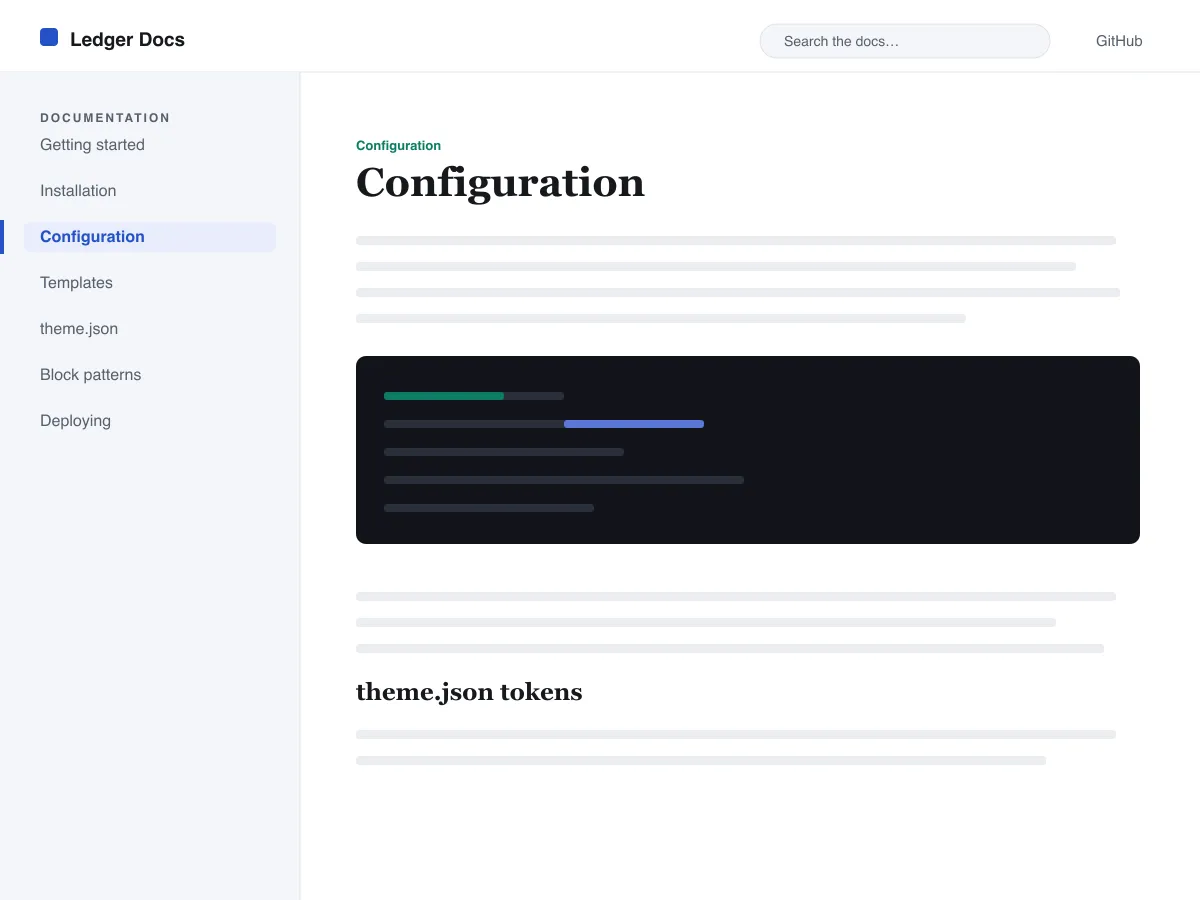
Ledger Docs is a block theme for documentation: plugin and theme manuals, open-source project docs, internal handbooks. Each template puts a vertical Navigation block in a left-hand column that stays in view as the reader scrolls on screens wider than 782px, with the content beside it.
Code is treated as content, not decoration. The Code and Preformatted blocks get a border, padding and a monospace system font from theme.json, and inline code is styled to stay legible inside a sentence. A search field sits in the header on every page and on the 404 page.
It uses system fonts, makes no third-party requests, and ships five templates (index, single, page, archive, 404) and two template parts. There is one light colour palette; colours can be changed in Styles.
Who it suits
Plugin authors, open-source maintainers and teams who want a WordPress site that reads like a manual — sidebar tree, search, code samples — without a docs plugin or a page builder.
Ledger Docs içinde neler var
- Standart bir Gezinme bloğundan oluşturulan, yapışkan sol taraf dokümantasyon kenar çubuğu; böylece yazarlar dokümantasyon ağacını editörden, kod yazmadan yönetir.
- Birinci sınıf kod sunumu: çerçeveli, eş aralıklı core/code ve core/preformatted blokları ve biçimlendirilmiş satır içi kod; tümü theme.json tarafından yönetilir.
- İnce ayarlı bir yazı tipi ölçeği, cömert satır yüksekliği ve harici ya da pakete dahil yazı tipi dosyası olmadan clamp() ile akışkan sistem yazı tipi tipografisi.
- A restrained light palette (white base, near-black text, one blue primary) with two duotone filters; every text colour measures above WCAG AA contrast on the base and surface colours.
- Erişilebilirliğe hazır: atlama bağlantısı, görünür klavye odağı, anlamsal header/main/footer işaret bölgeleri ve prefers-reduced-motion desteği.
- Üst bilgide kalıcı bir arama alanı ve dokümantasyona göz atmak için temiz sorgu döngüsü listeleriyle arama dostu arşivler.
Ledger Docs at a glance
- Theme type
- Block theme (edited in the Site Editor)
- Current version
- 1.0.0
- First published
- 14 Temmuz 2026
- Requires WordPress
- 6.5
- Tested up to WordPress
- 6.7
- Requires PHP
- 7.4
Requirements come from the theme's own style.css. Checked on 28 Ekim 2026.
Good to know before you install
- This theme is downloaded from this site, not from the WordPress.org directory, so WordPress will not show an update notice for it. Check this page for new versions.
- There is no dark mode and no bundled style variation.
- Code blocks are styled but not syntax-highlighted; use a highlighting plugin if you need colours.
- The sidebar and header Navigation blocks ship without a menu assigned, so WordPress shows its fallback menu in both until you pick one.
Sonraki adımlar
Sitenizi kurmak için ücretsiz araçlar
WordPress theme.json Oluşturucu
Geçerli bir theme.json oluşturun — ve hangi yarısının sitenizi gerçekten değiştirdiğini görün.
Aracı açWordPress Görsel Boyut Laboratuvarı
Bir görsel bırakın. WordPress'in ondan üreteceği her kopyayı görün.
Aracı açWordPress .htaccess Oluşturucu
WordPress'in ihtiyaç duyduğu kurallar ve varsayılan olarak gelmeyen güvenlik sıkılaştırma kuralları
Aracı açİlgili
Beğenebileceğiniz diğer temalar
SSS
Ledger Docs soruları
What does Ledger Docs need to run?
WordPress 6.5 or later and PHP 7.4 or later, according to its style.css, which also says it was tested up to WordPress 6.7. The current version is 1.0.0.
Does Ledger Docs highlight code syntax?
No. It styles the Code and Preformatted blocks (border, padding, monospace font) and inline code, but colouring code by language is plugin territory. Its blocks are built to sit well next to any highlighter.
How do I give the docs sidebar its own menu?
Open Appearance → Editor → Templates, edit a template such as Single, select the Navigation block in the left column and choose or create a menu in its settings. Do the same in the Page, Index and Archive templates. Until you do, WordPress fills every Navigation block, including the header one, with the same fallback menu.
Does Ledger Docs have a dark mode?
No. It ships one light palette with a near-black text colour and a blue primary. You can change any colour under Appearance → Editor → Styles.
Can I remove the Ledger Docs footer credit?
Yes. Edit the Footer template part in Appearance → Editor → Patterns, delete the “Theme by Odie Themes” paragraph and save. Nothing depends on it.