What Ledger Docs is for
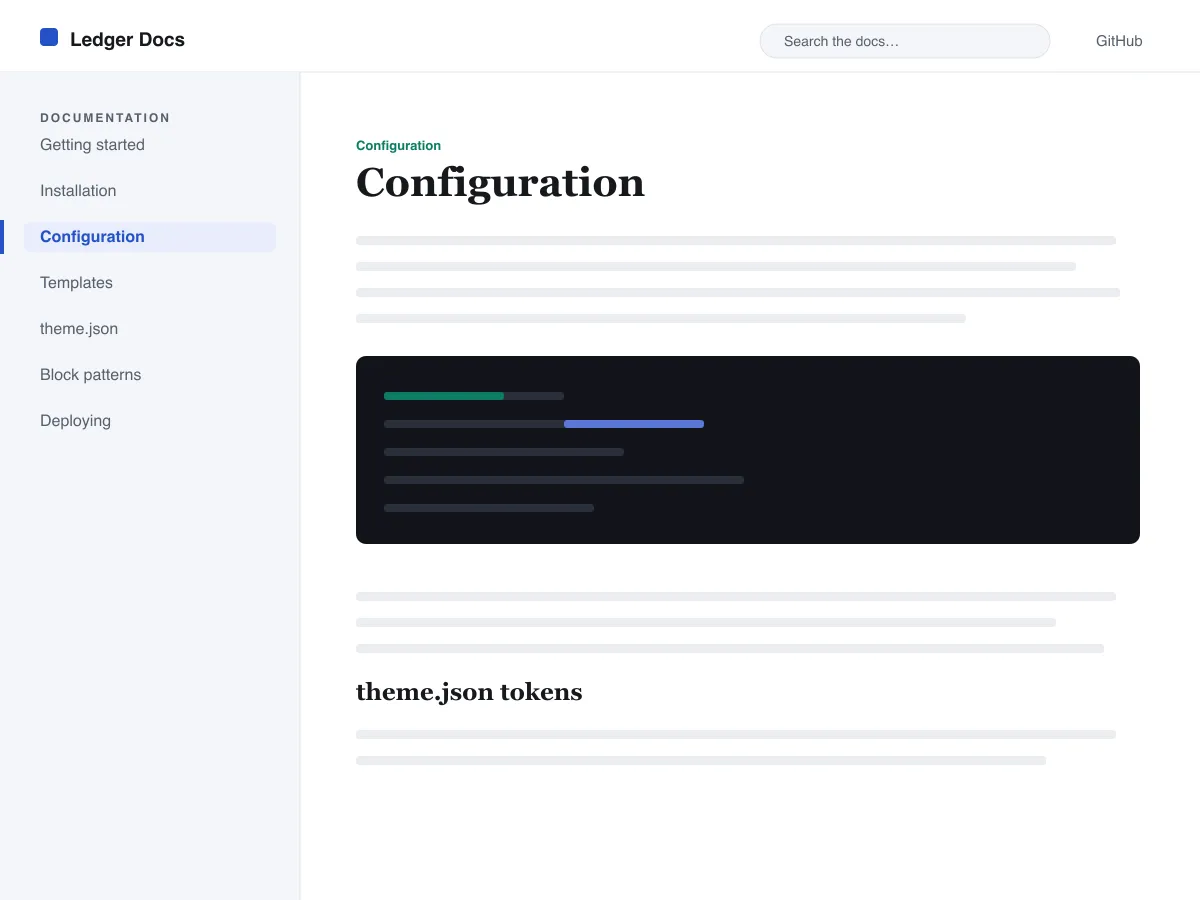
Ledger Docs is a block theme for documentation: plugin and theme manuals, open-source project docs, internal handbooks. Each template puts a vertical Navigation block in a left-hand column that stays in view as the reader scrolls on screens wider than 782px, with the content beside it.
Code is treated as content, not decoration. The Code and Preformatted blocks get a border, padding and a monospace system font from theme.json, and inline code is styled to stay legible inside a sentence. A search field sits in the header on every page and on the 404 page.
It uses system fonts, makes no third-party requests, and ships five templates (index, single, page, archive, 404) and two template parts. There is one light colour palette; colours can be changed in Styles.
Who it suits
Plugin authors, open-source maintainers and teams who want a WordPress site that reads like a manual — sidebar tree, search, code samples — without a docs plugin or a page builder.
Ledger Docs에 담긴 것
- 표준 내비게이션 블록으로 만든 왼쪽 고정형 문서 사이드바 — 작성자가 코드 없이 편집기에서 문서 트리를 관리할 수 있습니다.
- 일급 코드 표현: 테두리가 있고 고정폭 글꼴을 쓰는 core/code 및 core/preformatted 블록에 스타일이 적용된 인라인 코드까지, 모두 theme.json으로 제어됩니다.
- clamp()를 활용한 유동형 시스템 폰트 타이포그래피 — 정교하게 조정된 타입 스케일, 넉넉한 줄 높이, 그리고 외부·번들 폰트 파일이 전혀 없습니다.
- A restrained light palette (white base, near-black text, one blue primary) with two duotone filters; every text colour measures above WCAG AA contrast on the base and surface colours.
- 접근성 지원: 건너뛰기 링크, 눈에 보이는 키보드 포커스, 시맨틱 header/main/footer 랜드마크, prefers-reduced-motion 지원.
- 검색 친화적 아카이브: 헤더에 상시 노출되는 검색 필드와 문서를 둘러보기 좋은 깔끔한 쿼리 루프 목록을 제공합니다.
Ledger Docs at a glance
- Theme type
- Block theme (edited in the Site Editor)
- Current version
- 1.0.0
- First published
- 2026년 7월 14일
- Requires WordPress
- 6.5
- Tested up to WordPress
- 6.7
- Requires PHP
- 7.4
Requirements come from the theme's own style.css. Checked on 2026년 10월 28일.
Good to know before you install
- This theme is downloaded from this site, not from the WordPress.org directory, so WordPress will not show an update notice for it. Check this page for new versions.
- There is no dark mode and no bundled style variation.
- Code blocks are styled but not syntax-highlighted; use a highlighting plugin if you need colours.
- The sidebar and header Navigation blocks ship without a menu assigned, so WordPress shows its fallback menu in both until you pick one.
관련
마음에 들 만한 다른 테마
자주 묻는 질문
Ledger Docs 관련 질문
What does Ledger Docs need to run?
WordPress 6.5 or later and PHP 7.4 or later, according to its style.css, which also says it was tested up to WordPress 6.7. The current version is 1.0.0.
Does Ledger Docs highlight code syntax?
No. It styles the Code and Preformatted blocks (border, padding, monospace font) and inline code, but colouring code by language is plugin territory. Its blocks are built to sit well next to any highlighter.
How do I give the docs sidebar its own menu?
Open Appearance → Editor → Templates, edit a template such as Single, select the Navigation block in the left column and choose or create a menu in its settings. Do the same in the Page, Index and Archive templates. Until you do, WordPress fills every Navigation block, including the header one, with the same fallback menu.
Does Ledger Docs have a dark mode?
No. It ships one light palette with a near-black text colour and a blue primary. You can change any colour under Appearance → Editor → Styles.
Can I remove the Ledger Docs footer credit?
Yes. Edit the Footer template part in Appearance → Editor → Patterns, delete the “Theme by Odie Themes” paragraph and save. Nothing depends on it.