Ledger Docsธีมเอกสารคู่มือ WordPress
ธีมเอกสารที่เรียบสงบและรวดเร็ว สำหรับคนที่เขียนเอกสาร ไม่ใช่หน้าการตลาด
What Ledger Docs is for
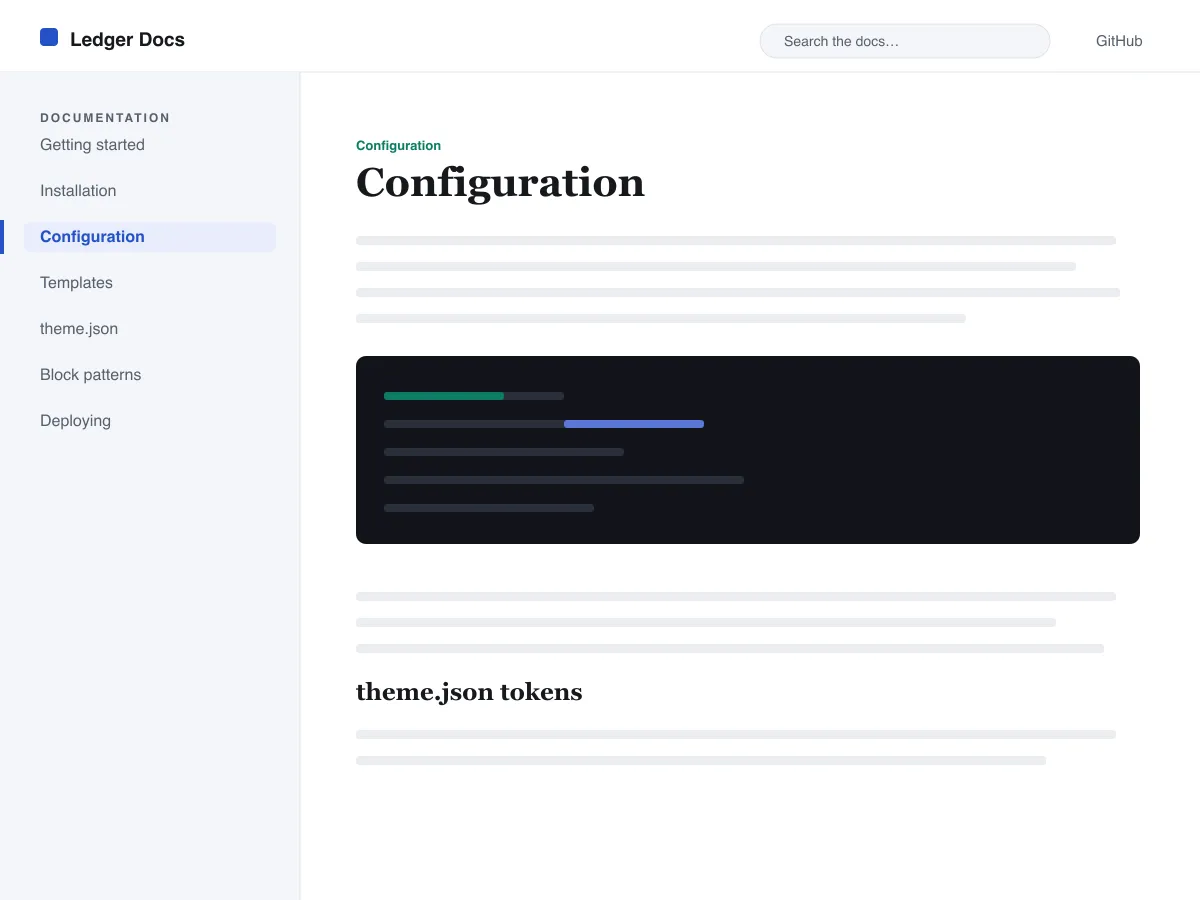
Ledger Docs is a block theme for documentation: plugin and theme manuals, open-source project docs, internal handbooks. Each template puts a vertical Navigation block in a left-hand column that stays in view as the reader scrolls on screens wider than 782px, with the content beside it.
Code is treated as content, not decoration. The Code and Preformatted blocks get a border, padding and a monospace system font from theme.json, and inline code is styled to stay legible inside a sentence. A search field sits in the header on every page and on the 404 page.
It uses system fonts, makes no third-party requests, and ships five templates (index, single, page, archive, 404) and two template parts. There is one light colour palette; colours can be changed in Styles.
Who it suits
Plugin authors, open-source maintainers and teams who want a WordPress site that reads like a manual — sidebar tree, search, code samples — without a docs plugin or a page builder.
มีอะไรใน Ledger Docs บ้าง
- แถบข้างเอกสารด้านซ้ายแบบติดหนึบ สร้างจากบล็อก Navigation มาตรฐาน ผู้เขียนจึงจัดการโครงสร้างเอกสารได้จากตัวแก้ไขโดยไม่ต้องเขียนโค้ด
- การนำเสนอโค้ดชั้นหนึ่ง: บล็อก core/code และ core/preformatted แบบมีเส้นขอบและฟอนต์ monospace พร้อมโค้ดแบบ inline ที่จัดสไตล์ไว้ ทั้งหมดควบคุมด้วย theme.json
- การจัดพิมพ์ด้วยฟอนต์ระบบแบบลื่นไหลผ่าน clamp() พร้อมสเกลขนาดตัวอักษรที่ปรับจูนมาอย่างดี ระยะบรรทัดที่โปร่งสบาย และไม่มีไฟล์ฟอนต์จากภายนอกหรือที่ฝังมาด้วย
- A restrained light palette (white base, near-black text, one blue primary) with two duotone filters; every text colour measures above WCAG AA contrast on the base and surface colours.
- พร้อมด้านการเข้าถึง: ลิงก์ข้าม (skip link) โฟกัสคีย์บอร์ดที่มองเห็นได้ แลนด์มาร์กเชิงความหมาย header/main/footer และรองรับ prefers-reduced-motion
- หน้าคลังบทความที่ค้นหาง่าย พร้อมช่องค้นหาที่ติดอยู่ในส่วนหัวตลอด และรายการแบบ query-loop ที่สะอาดตาสำหรับไล่อ่านเอกสาร
Ledger Docs at a glance
- Theme type
- Block theme (edited in the Site Editor)
- Current version
- 1.0.0
- First published
- 14 กรกฎาคม 2569
- Requires WordPress
- 6.5
- Tested up to WordPress
- 6.7
- Requires PHP
- 7.4
Requirements come from the theme's own style.css. Checked on 28 ตุลาคม 2569.
Good to know before you install
- This theme is downloaded from this site, not from the WordPress.org directory, so WordPress will not show an update notice for it. Check this page for new versions.
- There is no dark mode and no bundled style variation.
- Code blocks are styled but not syntax-highlighted; use a highlighting plugin if you need colours.
- The sidebar and header Navigation blocks ship without a menu assigned, so WordPress shows its fallback menu in both until you pick one.
ขั้นตอนถัดไป
เครื่องมือฟรีสำหรับตั้งค่าเว็บไซต์ของคุณ
เครื่องมือสร้าง theme.json สำหรับ WordPress
สร้าง theme.json ที่ถูกต้อง และดูว่าส่วนไหนเปลี่ยนเว็บของคุณจริง
เปิดเครื่องมือห้องแล็บขนาดรูปภาพ WordPress
วางรูปลงไป แล้วดูทุกสำเนาที่ WordPress จะสร้างจากมัน
เปิดเครื่องมือตัวสร้าง .htaccess สำหรับ WordPress
กฎที่ WordPress ต้องใช้ บวกกับกฎเสริมความปลอดภัยที่ไม่ได้ให้มาในตัว
เปิดเครื่องมือที่เกี่ยวข้อง
ธีมอื่นที่คุณอาจชอบ
คำถามที่พบบ่อย
คำถามเกี่ยวกับ Ledger Docs
What does Ledger Docs need to run?
WordPress 6.5 or later and PHP 7.4 or later, according to its style.css, which also says it was tested up to WordPress 6.7. The current version is 1.0.0.
Does Ledger Docs highlight code syntax?
No. It styles the Code and Preformatted blocks (border, padding, monospace font) and inline code, but colouring code by language is plugin territory. Its blocks are built to sit well next to any highlighter.
How do I give the docs sidebar its own menu?
Open Appearance → Editor → Templates, edit a template such as Single, select the Navigation block in the left column and choose or create a menu in its settings. Do the same in the Page, Index and Archive templates. Until you do, WordPress fills every Navigation block, including the header one, with the same fallback menu.
Does Ledger Docs have a dark mode?
No. It ships one light palette with a near-black text colour and a blue primary. You can change any colour under Appearance → Editor → Styles.
Can I remove the Ledger Docs footer credit?
Yes. Edit the Footer template part in Appearance → Editor → Patterns, delete the “Theme by Odie Themes” paragraph and save. Nothing depends on it.