Ledger DocsTema Dokumentasi WordPress
Tema dokumentasi yang tenang dan cepat untuk orang yang menulis dokumentasi, bukan halaman pemasaran.
What Ledger Docs is for
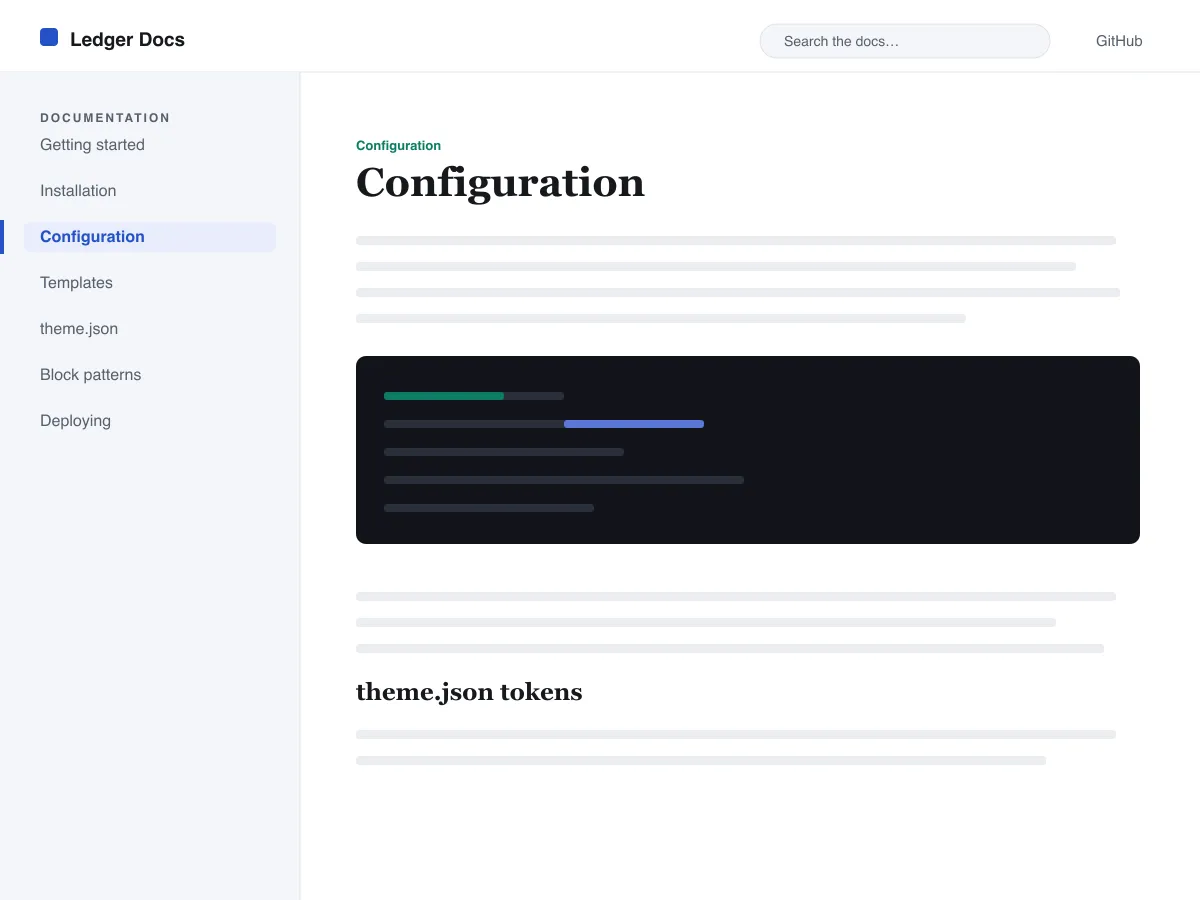
Ledger Docs is a block theme for documentation: plugin and theme manuals, open-source project docs, internal handbooks. Each template puts a vertical Navigation block in a left-hand column that stays in view as the reader scrolls on screens wider than 782px, with the content beside it.
Code is treated as content, not decoration. The Code and Preformatted blocks get a border, padding and a monospace system font from theme.json, and inline code is styled to stay legible inside a sentence. A search field sits in the header on every page and on the 404 page.
It uses system fonts, makes no third-party requests, and ships five templates (index, single, page, archive, 404) and two template parts. There is one light colour palette; colours can be changed in Styles.
Who it suits
Plugin authors, open-source maintainers and teams who want a WordPress site that reads like a manual — sidebar tree, search, code samples — without a docs plugin or a page builder.
Apa saja yang ada di Ledger Docs
- Bilah sisi dokumentasi kiri yang menempel, dibangun dari blok Navigation standar, sehingga penulis mengelola pohon dokumentasi dari editor tanpa kode.
- Penyajian kode kelas satu: blok core/code dan core/preformatted dengan garis tepi dan font monospace, plus kode inline bergaya, semuanya diatur oleh theme.json.
- Tipografi font sistem yang fluid via clamp() dengan skala tipe yang tertata, tinggi baris yang lega, dan tanpa berkas font eksternal maupun bawaan.
- A restrained light palette (white base, near-black text, one blue primary) with two duotone filters; every text colour measures above WCAG AA contrast on the base and surface colours.
- Siap aksesibilitas: tautan lewati, fokus keyboard yang terlihat, penanda semantik header/main/footer, dan dukungan prefers-reduced-motion.
- Arsip yang ramah pencarian dengan kolom pencarian tetap di header dan daftar query-loop yang bersih untuk menjelajahi dokumentasi.
Ledger Docs at a glance
- Theme type
- Block theme (edited in the Site Editor)
- Current version
- 1.0.0
- First published
- 14 Juli 2026
- Requires WordPress
- 6.5
- Tested up to WordPress
- 6.7
- Requires PHP
- 7.4
Requirements come from the theme's own style.css. Checked on 28 Oktober 2026.
Good to know before you install
- This theme is downloaded from this site, not from the WordPress.org directory, so WordPress will not show an update notice for it. Check this page for new versions.
- There is no dark mode and no bundled style variation.
- Code blocks are styled but not syntax-highlighted; use a highlighting plugin if you need colours.
- The sidebar and header Navigation blocks ship without a menu assigned, so WordPress shows its fallback menu in both until you pick one.
Langkah berikutnya
Alat gratis untuk menyiapkan situs kamu
Generator theme.json WordPress
Buat file theme.json yang valid — dan lihat bagian mana yang benar-benar mengubah situs Anda.
Buka alatLab Ukuran Gambar WordPress
Jatuhkan sebuah gambar. Lihat setiap salinan yang akan dibuat WordPress darinya.
Buka alatGenerator .htaccess WordPress
Aturan yang dibutuhkan WordPress, plus aturan pengamanan yang tidak disertakan secara bawaan
Buka alatTerkait
Tema lain yang mungkin kamu suka
FAQ
Pertanyaan seputar Ledger Docs
What does Ledger Docs need to run?
WordPress 6.5 or later and PHP 7.4 or later, according to its style.css, which also says it was tested up to WordPress 6.7. The current version is 1.0.0.
Does Ledger Docs highlight code syntax?
No. It styles the Code and Preformatted blocks (border, padding, monospace font) and inline code, but colouring code by language is plugin territory. Its blocks are built to sit well next to any highlighter.
How do I give the docs sidebar its own menu?
Open Appearance → Editor → Templates, edit a template such as Single, select the Navigation block in the left column and choose or create a menu in its settings. Do the same in the Page, Index and Archive templates. Until you do, WordPress fills every Navigation block, including the header one, with the same fallback menu.
Does Ledger Docs have a dark mode?
No. It ships one light palette with a near-black text colour and a blue primary. You can change any colour under Appearance → Editor → Styles.
Can I remove the Ledger Docs footer credit?
Yes. Edit the Footer template part in Appearance → Editor → Patterns, delete the “Theme by Odie Themes” paragraph and save. Nothing depends on it.