What Quietype is for
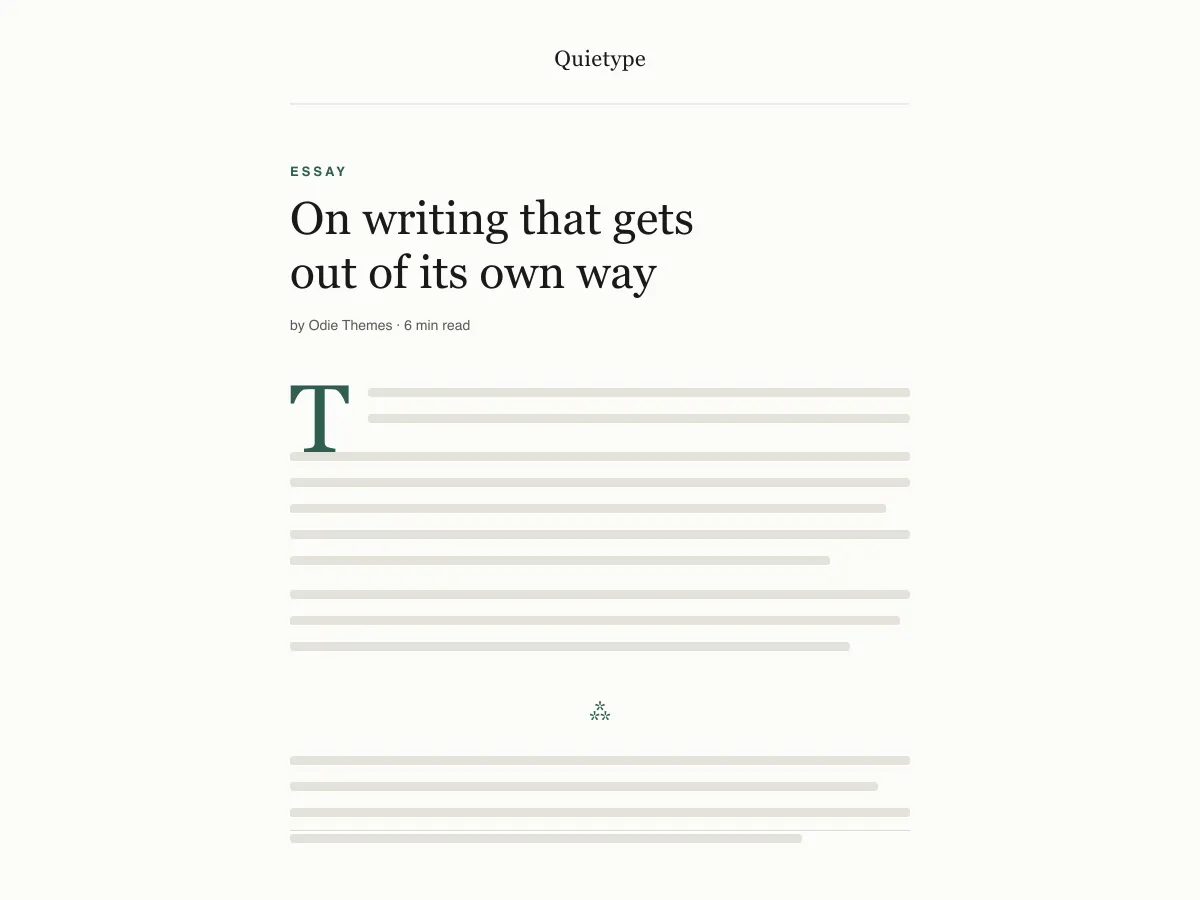
Quietype is a block theme for people who mostly write: essays, newsletters, personal blogs. Every template is a single column capped at 42rem — roughly sixty-eight characters a line — with no sidebar and no widget areas, so a post page is the post and little else.
Typography uses system font stacks and a fluid size scale, so text renders on the first paint without downloading a font. A second palette switches on automatically when a visitor's device is set to dark mode, and printing a post strips the navigation and spells out link addresses.
It ships five templates (index, single, page, archive, 404), two template parts (header and footer) and four block styles. There are no patterns to learn and no settings screen; design changes happen in Appearance → Editor.
Who it suits
Writers who want long posts to read comfortably on any screen, and who would rather have no sidebar, no widgets and no third-party requests than a page full of options.
Quietype میں کیا ہے
- پڑھنے کی چوڑائی ~68 حروف پر مقفل (42rem contentSize) کے ساتھ 1.7 line height اور 13px کیپشنز سے لے کر 52px ڈسپلے سائز تک ایک fluid clamp() ٹائپ اسکیل۔
- خودکار لائٹ/ڈارک موڈ: theme.json میں ہر رنگ ایک preset custom property کے طور پر ریفرنس ہوتا ہے، اس لیے ایک ہی prefers-color-scheme اووررائیڈ پوری سائٹ اور ایڈیٹر کینوس کو بدل دیتا ہے۔ دونوں پیلیٹس WCAG AA پر پورا اترتے ہیں۔
- کوئی نیٹ ورک کال نہیں: صرف سسٹم serif، sans اور mono اسٹیکس۔ نہ Google Fonts، نہ آئیکن CDN، نہ کوئی بنڈل شدہ پلگ ان، نہ اپسیل، نہ ٹریکنگ۔
- قابلِ رسائی کے لیے تیار: core skip link (ہر ٹیمپلیٹ ایک حقیقی <main> لینڈ مارک ظاہر کرتا ہے)، :focus fallback کے ساتھ :focus-visible آؤٹ لائنز، سیمینٹک header/main/article/footer ٹیگز، اور prefers-reduced-motion کا انتظام۔
- مضامین کے لیے بنائے گئے چار کسٹم بلاک اسٹائلز: Hairline اور Asterism سیپریٹرز، ایک Framed امیج، اور ایک Plain (بغیر لکیر کے) quote — ساتھ ہی ایک drop cap جو واقعی baseline پر بیٹھتا ہے۔
- پرنٹ اسٹائل شیٹ جو غیر ضروری انٹرفیس عناصر ہٹا دیتی ہے اور چلتے متن میں لنک کے URLs کو کھول کر دکھاتی ہے، کیونکہ طویل مضامین پڑھنے والے آج بھی پرنٹ کرتے ہیں۔
Quietype at a glance
- Theme type
- Block theme (edited in the Site Editor)
- Current version
- 1.0.0
- First published
- 14 جولائی، 2026
- Requires WordPress
- 6.5
- Tested up to WordPress
- 6.8
- Requires PHP
- 7.4
Requirements come from the theme's own style.css. Checked on 28 اکتوبر، 2026.
Good to know before you install
- This theme is downloaded from this site, not from the WordPress.org directory, so WordPress will not show an update notice for it. Check this page for new versions.
- Dark mode follows the visitor's system setting. There is no on-page toggle.
- There is no search template; search results use the index template.
اگلے مراحل
اپنی سائٹ سیٹ اپ کرنے کے لیے مفت ٹولز
WordPress theme.json جنریٹر
ایک درست theme.json بنائیں — اور دیکھیں کہ اس کا کون سا حصہ واقعی آپ کی سائٹ بدلتا ہے۔
ٹول کھولیںWordPress امیج سائز لیب
ایک امیج ڈالیں۔ دیکھیں کہ WordPress اس کی کون کون سی کاپیاں بنائے گا۔
ٹول کھولیںWordPress .htaccess جنریٹر
وہ رولز جو WordPress کو درکار ہیں، اور ساتھ وہ سیکیورٹی ہارڈننگ رولز جو یہ ازخود فراہم نہیں کرتا
ٹول کھولیںمتعلقہ
دیگر themes جو آپ کو پسند آ سکتے ہیں
عمومی سوالات
Quietype کے سوالات
What does Quietype need to run?
WordPress 6.5 or later and PHP 7.4 or later, according to its style.css, which also says it was tested up to WordPress 6.8. The current version is 1.0.0.
Does Quietype load any external fonts or scripts?
No. It enqueues only its own stylesheet and uses system serif, sans-serif and monospace font stacks, so it makes no requests to Google Fonts or any other CDN.
How does the Quietype dark mode work?
It follows the visitor's operating-system preference through a prefers-color-scheme media query, which swaps the palette for the site and the editor canvas. There is no toggle button. Text colours in both palettes measure above the WCAG AA contrast ratio of 4.5:1 against their backgrounds.
Can I add a sidebar or widgets to Quietype?
Not out of the box — the layout is deliberately one column and the theme registers no widget areas. You can add blocks to the header or footer template parts in the Site Editor, but a sidebar works against what the theme is for.
Can I remove the Quietype footer credit?
Yes. Open Appearance → Editor → Patterns → Template Parts → Footer, delete the paragraph with the credit and save. Nothing depends on it.